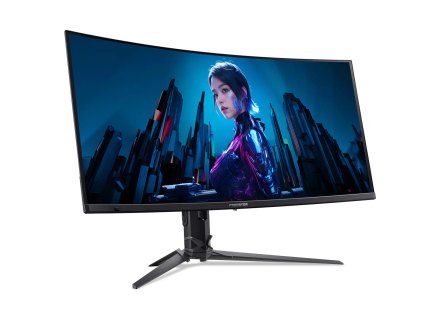
Acer Predator Series Specs and Buying Guide

Image Source: Acer Official Who Is It For? The Acer Predator series is a category of monitors where high refresh rates—how many times the image updates each second—and low response times—how quickly…
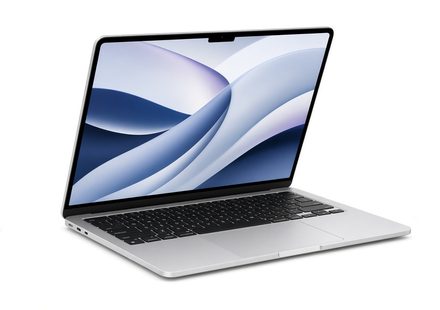
[Beginner’s Guide #7] How to Choose the Right Mac Specs: Why Your First Decision Is Final
When purchasing a traditional Windows PC, you can easily upgrade individual components like RAM or storage later, or simply replace a single broken part if something fails. With a Mac, however,…
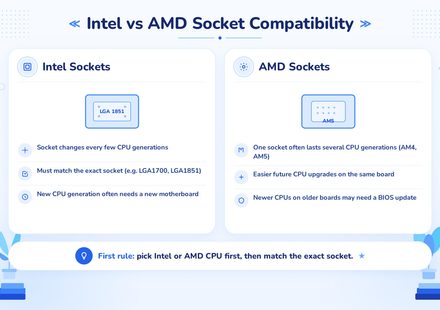
[Beginner’s Guide #6] How to Read Motherboard Specs: Choosing the Right Foundation for Your PC
When building or buying a PC, many beginners focus heavily on the CPU and graphics card, treating the motherboard as an afterthought or simply picking the cheapest option available. However, the…
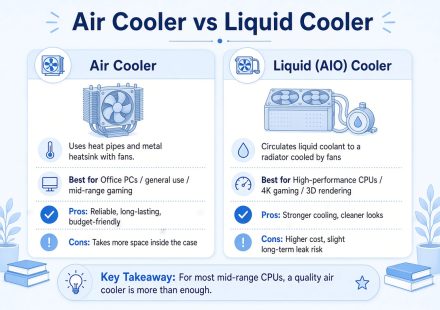
[Beginner’s Guide #5] How to Read Power Supply & Cooler Specs: Choosing the Right PSU and Cooling for Your PC
When building or buying a PC, many beginners pour most of their budget into flashy components like the CPU and graphics card. In contrast, the power supply (PSU) and cooler are often treated as…
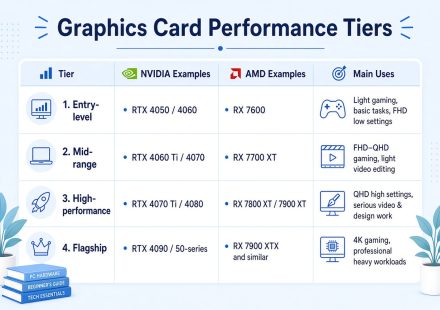
[Beginner’s Guide #4] How to Read Graphics Card Specs: GPU Comparison and Selection Guidelines for Gaming & Work
When buying a computer, many people check the graphics card after the CPU, memory, and storage. Specification sheets often show terms like “integrated graphics,” “RTX 4060,” “RX 7600,” or “8GB,” but…
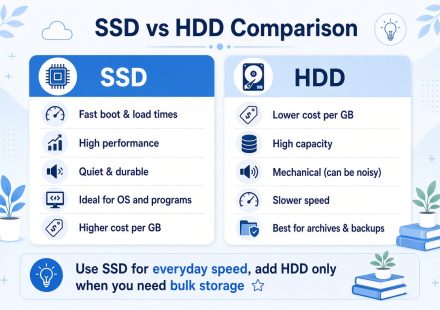
[Beginner’s Guide #3] How to Read Storage Specs: SSD vs HDD and Recommended Capacity for Gaming & Work
When buying a computer, many people check the storage drive right after the CPU and memory. Specification sheets often list terms like “512GB SSD,” “1TB HDD,” or “NVMe,” but many buyers focus only on…
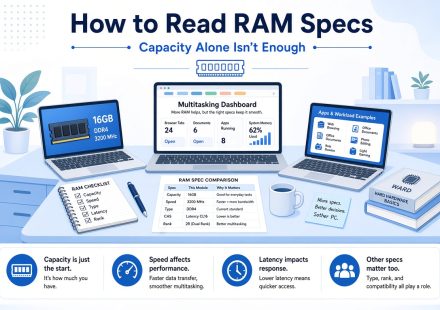
[Beginner’s Guide #2] How to Read RAM Specs: Why Capacity Alone Isn’t Enough and Recommended Guidelines by Use Case
When you check a PC specification sheet, RAM (memory) is usually the second item you notice after the CPU. Numbers like “16GB,” “32GB,” “DDR4,” or “DDR5” appear frequently, yet many people don’t…
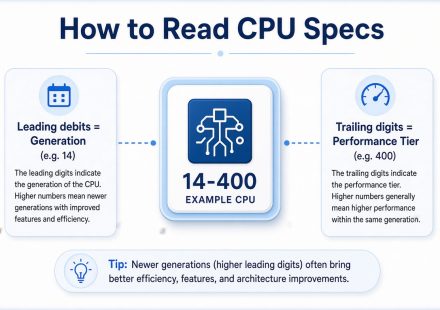
[Beginner’s Guide #1] How to Read CPU Specs: From Brand Names to Model Numbers Without Getting Fooled
When you open a PC specification sheet, the first component you usually see is the CPU. It’s the “brain” of the computer and the most important part — yet it’s also the one that confuses beginners…

HP 15 Series Buying Guide
Image Source: HP Official Who Is It For? The HP 15 Series is a mainstream laptop designed for general-purpose computing, featuring a 15.6-inch display and a full-sized keyboard. This series is…
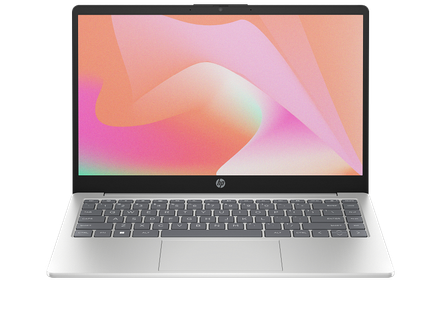
HP 14 Series Buying Guide
Image Source: HP Official Who Is It For? The HP 14 Series is a compact, mainstream laptop designed for users who prioritize portability and essential computing tasks over high-end specialized power.…