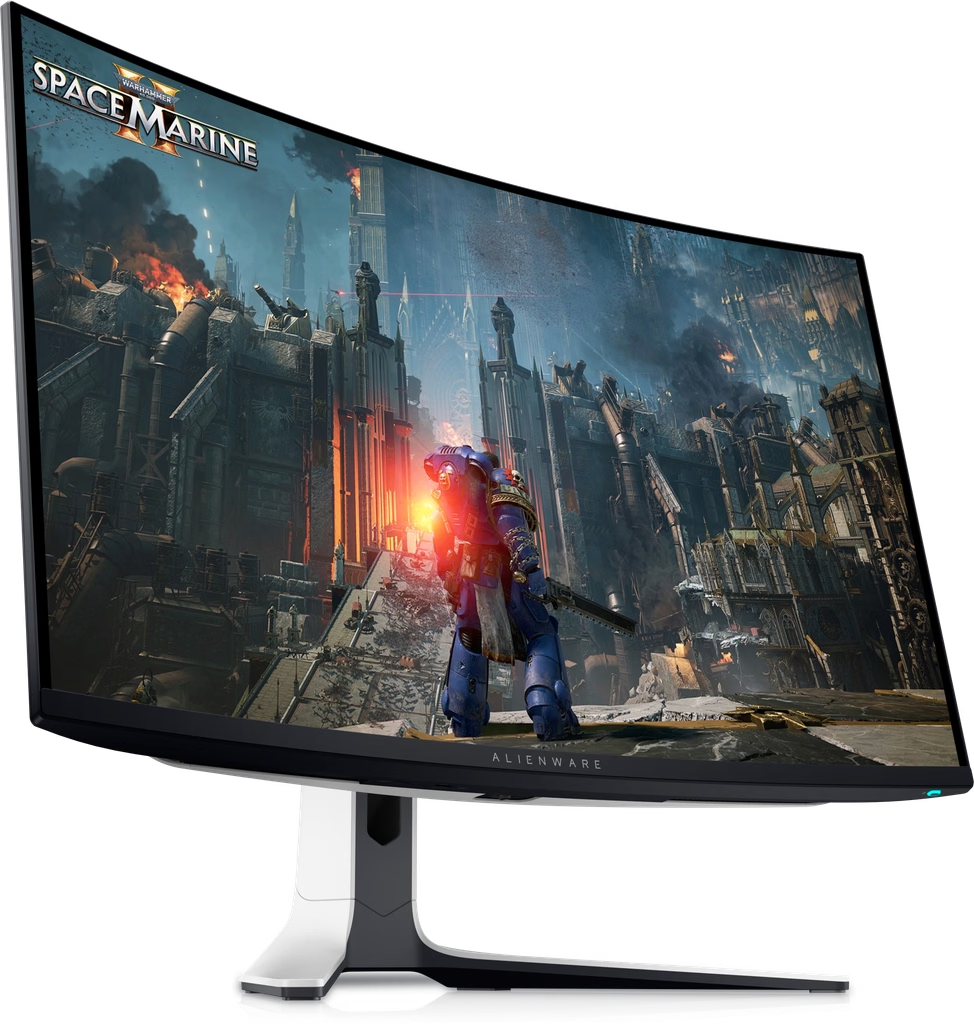
Image Source: Dell Official
Who Is It For?
The Dell Alienware monitor series fits users who prioritize high-speed motion clarity and premium build materials for competitive or cinematic gaming. This series suits eSports players who require extremely high refresh rates—how many times the image updates each second—reaching up to 500Hz on specific models. Because the newer QD-OLED (Quantum Dot Organic Light Emitting Diode) models offer infinite contrast and a 0.03ms response time, they fit users who play in dark rooms and want the deepest possible blacks without the “blooming” (light leaking into dark areas) found on traditional LCDs.
However, this series does not fit users who primarily perform static office work, such as long hours of spreadsheet management or text-heavy coding. The QD-OLED models carry a physical risk of “burn-in” (permanent image retention) when displaying static UI elements for extended periods. It is also not for users with very small or shallow desks, as the “Legend” design stands are physically deep and occupy significant surface area. The Alienware series does not fit budget-conscious buyers, as the cost includes premium features like G-Sync Ultimate hardware modules and specialized cooling systems. If this form factor or the specific panel technology doesn’t quite fit your daily work, exploring other lineup categories would be a better path.
1. How This Line Is Grouped
Dell organizes the Alienware monitor line primarily by screen size and target gaming genre. The model numbers (e.g., AW3225QF) indicate the size, the release year, and the resolution tier.
| Tier | Typical Names | Rough Position |
| eSports / Speed | AW2523HF, AW2524H | 24.5-inch, 1080p, Ultra-high refresh (360Hz-500Hz) |
| Performance / Mainstream | AW2723DF, AW2725DF | 27-inch, 1440p, High refresh (240Hz-360Hz) |
| Cinematic / Flagship | AW3225QF | 32-inch, 4K, QD-OLED technology |
| Immersive / Ultrawide | AW3423DW, AW3821DW | 34 to 38-inch, Curved, Wide aspect ratio |
The AW25 models are the speed specialists. These use Fast IPS (In-Plane Switching) panels, which are a type of LCD known for good colors and wide viewing angles. These models prioritize the highest possible frame rates over resolution, making them a physical fit for professional gaming environments where speed is the only metric that matters.
The AW27 models are the middle ground, offering 1440p resolution (2560 x 1440). This tier is split between traditional IPS panels and the newer QD-OLED panels. The IPS versions (like the AW2723DF) are brighter and better for daytime use, while the QD-OLED versions (like the AW2725DF) offer better motion clarity and contrast for dark-room gaming.
The AW32 and AW34/38 models represent the premium immersive tier. The AW3225QF is a 4K QD-OLED monitor that supports high-resolution gaming at 240Hz. The AW34 and AW38 models are “Ultrawide,” meaning they are wider than a standard TV (21:9 or 24:10 aspect ratio). These models are almost always curved to keep the edges of the screen within the user’s peripheral vision.
2. Check Before You Buy
QD-OLED Subpixel Structure and Text Clarity
The Alienware QD-OLED models (AW2725DF, AW3225QF, AW3423DWF) use a unique triangular subpixel arrangement. Standard computer monitors use a horizontal stripe arrangement. Because Windows and macOS are designed for horizontal stripes, text on these OLED monitors can exhibit “color fringing,” where a thin green or magenta line appears on the edges of black text. While the high pixel density of the 4K model (AW3225QF) makes this difficult to see, users who spend 8 hours a day reading small text may find it less sharp than a traditional 4K IPS monitor.
Active Cooling and Fan Noise
To protect the OLED panels and the G-Sync Ultimate hardware modules from heat, many Alienware monitors include internal cooling fans. These are active mechanical parts that spin to move air. In a completely silent room, the faint whirring of the fan may be audible. On models with G-Sync Ultimate (which uses a dedicated physical chip inside the monitor), the fan may continue to run for several minutes after the monitor is turned off to cool down the internal components.
QD-OLED Ambient Light Reflection
The QD-OLED panels used in the Alienware series do not have a traditional polarizing layer. In a room with bright overhead lights or a window directly facing the screen, the “blacks” on the monitor can appear as a dark purple or gray. This is a physical reaction of the panel to external light. To see the “infinite contrast” and true blacks that OLED is known for, the monitor must be used in a room with controlled, dim lighting.
HDMI 2.1 Bandwidth Variations
Not all Alienware monitors with HDMI ports support the full bandwidth of HDMI 2.1. For example, the AW3225QF supports 4K at 240Hz via HDMI 2.1, which fits modern consoles like the PS5 or Xbox Series X. However, older models like the AW3423DW are limited to HDMI 2.0, which cannot handle the monitor’s full refresh rate at native resolution without using a DisplayPort cable. Checking the specific HDMI version is a requirement for console users.
3. How It Fits a Real Desk Setup
The Legend Design Stand Footprint
Alienware monitors use the “Legend 2.0” or “Legend 3.0” design language. The stands feature a large hexagonal or V-shaped base. On a desk with a depth of 60 cm (24 inches), the stand for an AW3423DW can occupy nearly 30 cm of depth, leaving very little room for a keyboard and mousepad. The newer Legend 3.0 stands (found on the AW2725DF and AW3225QF) have a smaller hexagonal base to reclaim some desk space, but they still require more room than a standard office monitor stand.
Cable Management and Rear Port Access
The back of the monitor includes a removable plastic “cable cover” that snaps into place to hide the wires. The cables are routed through a hole in the stand. While this creates a clean look, the ports are recessed (sunken) into the chassis and face downwards. This makes it difficult to plug in new cables without rotating the monitor or using a mirror. The monitor also features “AlienFX” lighting—LED strips on the back and on the stand—which can be synchronized with games but requires a USB upstream cable to be connected to the PC.
VESA Mounting and Weight
For users who prefer a monitor arm, Alienware monitors support the VESA 100×100 standard (the standard screw pattern for mounting). However, the mounting area is often a deep square recess. Some universal monitor arm plates are too large to fit into this hole, requiring the use of the “standoff” screws included in the box. Additionally, the 34-inch and 38-inch models are heavy, often exceeding 7 kg (15 lbs) without the stand. A high-capacity gas-spring monitor arm is a physical requirement for these larger models.
Integrated USB Hub and Alienware Command Center
Most Alienware monitors act as a USB hub, providing several USB-A ports on the bottom and back. To use these, the user must connect the included USB-B to USB-A “upstream” cable to their computer. This also allows the “Alienware Command Center” software to control the monitor’s settings (like brightness and RGB lighting) directly from Windows, eliminating the need to use the physical joystick on the monitor.
4. Sizes and Models in This Line
The Alienware line is strictly focused on gaming-centric sizes, avoiding the very small (under 24″) or very large (over 48″) sizes found in other brands.
| Size | Common Resolution | Aspect Ratio | Notes |
| 24.5″ | 1920 x 1080 (FHD) | 16:9 | Built for maximum speed (360Hz+). |
| 27″ | 2560 x 1440 (QHD) | 16:9 | The standard for high-performance PC gaming. |
| 32″ | 3840 x 2160 (4K) | 16:9 | High detail; requires a powerful graphics card. |
| 34″ | 3440 x 1440 (WQHD) | 21:9 | Ultrawide; provides extra horizontal vision. |
| 38″ | 3840 x 1600 (WQHD+) | 24:10 | Extra vertical space compared to 34-inch models. |
The 24.5-inch models (AW25 series) are the physical standard for eSports. The smaller screen size allows the player to see the entire display without moving their eyes, which is a requirement for fast-paced reaction games.
The 27-inch models are the most versatile. At 1440p, the pixel density—how many pixels are packed into an inch—is high enough that text looks sharp, but the resolution is not so high that it slows down the computer’s frame rate.
The 34-inch and 38-inch “Ultrawide” models provide a 21:9 or 24:10 aspect ratio. This is wider than a standard 16:9 screen. In games that support it, this provides a wider field of view, allowing the player to see enemies or scenery that would be cut off on a normal monitor. However, many streaming services (like Netflix) and some console games will show black bars on the sides of these screens.
5. Performance by Use Case
The performance of an Alienware monitor is defined by its panel type (IPS vs. QD-OLED) and its refresh rate.
| Use Case | Software / Task | Rating | Reason |
| Competitive FPS | Valorant, CS2, Apex | Sufficient | High refresh rates (360Hz+) and low input lag. |
| Cinematic RPGs | Cyberpunk 2077, Witcher 3 | Sufficient | QD-OLED models provide perfect blacks and HDR. |
| Console Gaming | PS5, Xbox Series X | Sufficient | HDMI 2.1 models (AW3225QF) support 4K 120Hz. |
| Office Work | Excel, Word, Outlook | Adequate | Good space, but OLED models have burn-in risk. |
| Video Editing | Premiere Pro, Resolve | Sufficient | 99% DCI-P3 color coverage on OLED models. |
| Photo Editing | Photoshop, Lightroom | Adequate | Excellent color, but subpixel layout affects fine lines. |
The “Sufficient” rating for cinematic gaming is due to HDR (High Dynamic Range). HDR expands the range between the brightest and darkest parts of the image. Alienware’s QD-OLED monitors are “VESA DisplayHDR True Black 400” certified, meaning they can show true black even next to a bright light source.
6. Official Specs (with plain explanations)
| Category | Specification | Notes |
| Refresh Rate | 144Hz to 500Hz | How many times the image updates each second. |
| Response Time | 0.03ms to 1ms (GtG) | Time for a pixel to change color; lower is better. |
| Panel Type | Fast IPS or QD-OLED | IPS = bright/durable; OLED = contrast/speed. |
| Brightness | 250 nits (SDR) / 1000 nits (HDR Peak) | Nits = unit of brightness; 1000 is for small highlights. |
| Contrast Ratio | 1,000:1 (IPS) / 1,500,000:1 (OLED) | The difference between black and white. |
| Color Gamut | 99% sRGB / 99% DCI-P3 | The range of colors the monitor can show. |
| Sync Tech | G-Sync Ultimate / FreeSync Premium | Prevents “tearing” (split images) during gaming. |
This line is sold with different tier names, sizes, refresh rates, and panels depending on the exact model and region. Please match the specifications on your current seller page with the official information above.
Source: Dell Official Product Page
The “GtG” (Gray to Gray) response time of 0.03ms on OLED models is physically impossible for LCD monitors to reach. This means that even at the same refresh rate, an OLED monitor will look clearer during fast movement than an IPS monitor.
7. Main Variations in This Line
The most significant variation is between “G-Sync Ultimate” and “FreeSync Premium” models. G-Sync Ultimate models (like the AW3423DW) contain a physical NVIDIA chip that handles the variable refresh rate. These models are often more expensive and require active fan cooling for the chip. FreeSync Premium models (like the AW3423DWF) use an open standard that works with both AMD and NVIDIA cards but lacks the dedicated hardware module.
Another variation is the “F” suffix in model names (e.g., AW2725DF). In the Alienware line, the “F” often denotes a model that is “AMD FreeSync” focused, whereas models without the “F” (e.g., AW2524H) are often “NVIDIA G-Sync” focused.
The “Legend” design also varies by generation. Legend 2.0 stands have a wider, deeper footprint, while Legend 3.0 stands (released in 2024) have a more compact hexagonal base designed to provide more room for the user’s keyboard and mouse.
8. What to Check on the Sales Page
- Line / Tier / Size: Check whether you are getting the Alienware AW model, not a standard Dell G-series or S-series gaming monitor.
- Panel Type: Confirm if the model is “QD-OLED” or “IPS.” This is the most important factor for contrast and burn-in risk.
- HDMI Version: For 4K gaming on consoles, ensure the model has HDMI 2.1. Older 4K or Ultrawide models may be limited to HDMI 2.0.
- Refresh Rate: Verify the Hz (e.g., 240Hz, 360Hz, 500Hz). Ensure your computer’s graphics card can reach these speeds at the monitor’s resolution.
- Warranty Coverage: Check if the seller or Dell includes the “3-Year OLED Burn-in Warranty,” which is a standard official feature for Alienware OLED models but may vary by region.
9. Disclaimer & Buying Advice
This buying guide for the Dell Alienware Series is based on official manufacturer specifications and recurring real-world user experiences. It is completely independent, not sponsored, and does not guarantee specific performance for every unit. Tier name, screen size, refresh rate, panel type, and ports can differ by model and region, so please double-check the exact specifications listed on your seller’s page before purchasing.
10. Beginner Guide
If you are new to monitor terms like refresh rate (Hz), panel type (IPS/OLED), and resolution (1080p/1440p/4K), read the basics in our [Start Here]. Understanding how these technical specs interact with your gaming hardware will help you determine if the premium Alienware series fits your specific needs.