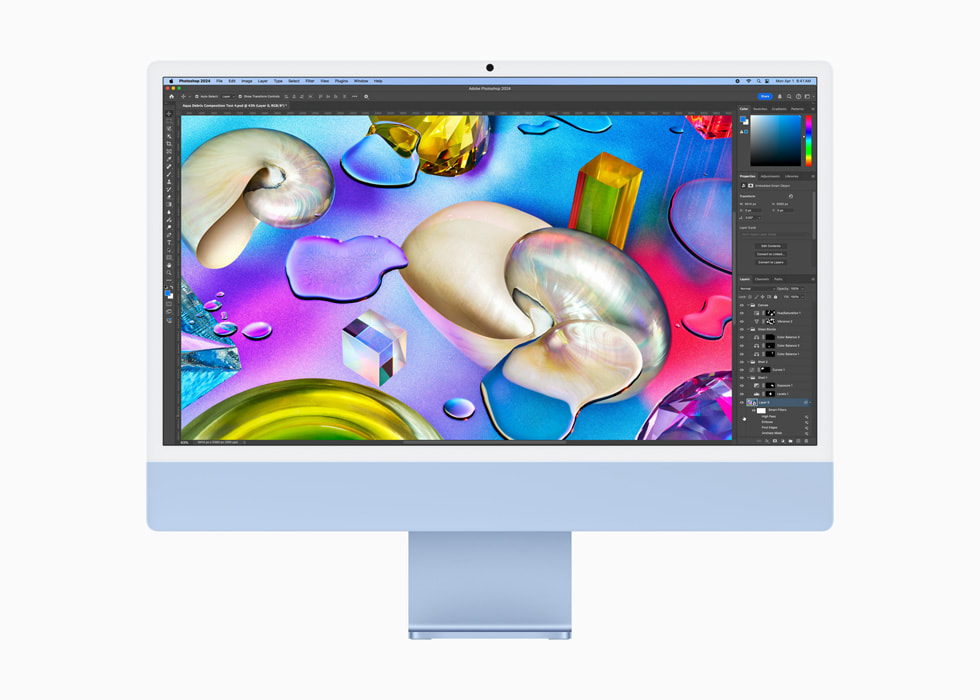
Image Source: Apple Official
Who Is It For?
The iMac with M4 chip integrates a 24-inch 4.5K Retina display, soldered unified memory, and storage into a single aluminum all-in-one that sits permanently on a desk. Users who work primarily in a fixed location—writing, browsing, photo editing, light video work, or video calls—and want a clean desk with minimal cables fit the daily pattern. The fixed screen size and stand depth claim permanent desk space, while memory and storage capacity must be chosen at purchase and cannot be increased later. There is no battery; the machine requires continuous wall power through its external adapter. Native Windows applications and .exe installers are unavailable. If this form factor or power doesn’t quite fit your daily work, exploring other lineup categories would be a better path.
1. Soldered Unified Memory and Fixed Storage
Unified memory locked at purchase
Memory is soldered as unified memory shared between the CPU, GPU, and Neural Engine. Configurations start at 16 GB and rise to 24 GB or 32 GB. Once the machine leaves the factory the capacity cannot be changed. Choosing too little memory for large photo libraries, multiple browser tabs, or concurrent creative apps leaves no later remedy. Confirm the exact unified memory amount on the sales page before ordering.
Storage also soldered
The SSD is soldered to the board. Base options begin at 256 GB and can be configured higher (up to 2 TB) only at the time of purchase. Expanding capacity afterward requires external drives or cloud storage. Verify the installed storage size listed for the chosen configuration.
Port layout and fixed display
Higher configurations include four Thunderbolt 4 ports plus Gigabit Ethernet; base models have two Thunderbolt 4 ports. A 3.5 mm headphone jack sits on the edge. The 24-inch 4.5K Retina display is permanently attached and cannot be replaced or adjusted in height without external stands or risers. These interfaces and the screen remain fixed after purchase.
These constraints mean every capacity and interface decision is final at the point of sale.
2. Desk Footprint and Always-On Use
Permanent desk space required
The iMac measures 54.7 cm wide, 46.1 cm high, and 14.7 cm deep at the stand. It claims a fixed rectangle of desk surface and needs clearance behind for cables and airflow. The aluminum body and thin profile keep the visual footprint clean, yet the machine cannot be packed away or moved frequently without effort.
Fan behavior and meeting environments
The system uses fans that stay silent or near-silent under web browsing, document work, and video calls. Under sustained heavy rendering or multi-app loads the fans spin up but remain quieter than most traditional desktops. In a quiet home office or shared space the noise stays low enough for conversation.
Continuous power requirement
There is no internal battery. The external power adapter must remain connected at all times. Brief power interruptions shut the system down. The compact adapter travels only if the entire iMac is relocated, which is uncommon for this form factor.
3. Performance by Use Case
Configurations use the Apple M4 chip with 8-core or 10-core CPU and GPU options. All work assumes the machine remains plugged in; there is no battery mode.
| Use Case | Software | Rating | Reason |
|---|---|---|---|
| Everyday productivity and video calls | Office apps, browsers, FaceTime/Zoom | Sufficient | M4 chip and unified memory keep concurrent work smooth |
| Photo editing and light creative work | Photos, Lightroom, basic design apps | Sufficient | Integrated GPU and high-resolution display handle media well |
| Multi-monitor expansion | macOS apps + external displays | Sufficient | Thunderbolt 4 supports additional high-resolution screens |
| Native Windows-only software | .exe applications without virtualization | Not enough | macOS only; no native Windows installation possible |
| Sustained heavy 4K export or 3D rendering | Premiere, Blender (demanding scenes) | Adequate | Higher configurations handle moderate loads; extreme work benefits from more powerful Macs |
Lower memory or base 8-core configurations reduce the margin on the first three rows. Virtualization or cloud solutions are required for Windows-only tools.
4. Official Specs (with plain explanations)
| Category | Specification | Notes |
|---|---|---|
| Display | 24-inch 4.5K Retina (4480×2520), 500 nits | Fixed; nano-texture option available |
| Chip | Apple M4 (8-core or 10-core CPU/GPU) | Soldered |
| Memory | 16 GB to 32 GB unified memory | Soldered; chosen at purchase |
| Storage | 256 GB to 2 TB SSD | Soldered; chosen at purchase |
| Power | External adapter | Always required; no battery |
| Weight | 4.44 kg | Complete unit |
| Ports | 2 or 4× Thunderbolt 4, Gigabit Ethernet (select), 3.5 mm | Fixed layout |
This series is sold with different chip cores, memory, and storage depending on the configuration. Please match the specifications on your current seller page with the official information above.
Source: Apple Official Product Page
The soldered unified memory and permanently attached 24-inch display listed above directly determine long-term capacity limits and desk placement.
5. Main Variations in This Series
Chip choice between 8-core and 10-core M4 versions changes multi-core performance for concurrent apps and light creative work. Unified memory starting at 16 GB versus 24 GB or 32 GB affects how many large files or browser tabs remain open. Storage starting at 256 GB versus higher capacities determines how much local media stays onboard. Port count of two versus four Thunderbolt 4 ports alters expansion flexibility. The optional nano-texture glass reduces glare on the fixed display. Each of these choices is permanent after purchase.
6. What to Check on the Sales Page
Confirm the exact hardware listed for the SKU you are considering, because the same series name covers multiple configurations.
- Exact M4 core count (8-core or 10-core CPU/GPU).
- Unified memory amount (16 GB, 24 GB, or 32 GB).
- Installed SSD capacity and maximum configurable size.
- Number of Thunderbolt 4 ports (two or four) and whether Gigabit Ethernet is included.
- Whether the nano-texture glass option is selected.
Matching these five items against the official sheet prevents receiving a lower-capacity configuration under the same series name.
7. Disclaimer & Buying Advice
This buying guide for the iMac M4 is based on official manufacturer specifications and recurring real-world user experiences. It is completely independent, not sponsored, and does not guarantee specific performance for every unit. Hardware configurations such as the chip, memory, and storage can differ by configuration and region, so please double-check the exact specifications listed on your seller’s page before purchasing.
8. Beginner Guide
The soldered unified memory and storage that must be chosen at purchase, together with the permanently attached 24-inch display, define the daily limits of this series more than any other factor. Start Here walks through how those constraints interact with common fixed-desk productivity and creative patterns before any purchase decision.