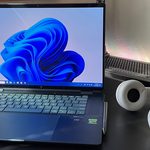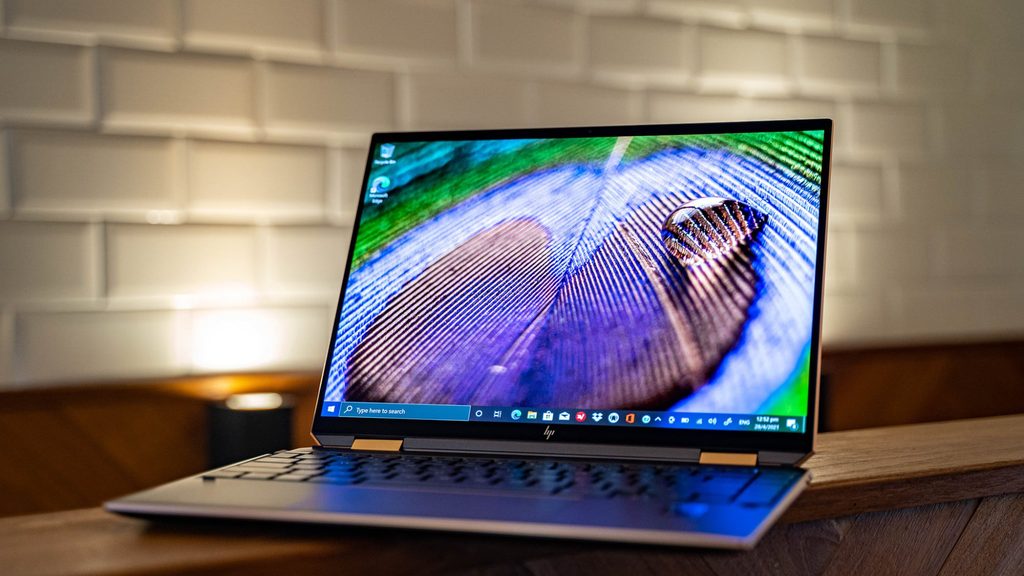
Image Source: Tech Reviewer / Hands-on Photo
Who Is It For?
The Spectre x360 14 places a 14-inch 2-in-1 chassis on a desk or in tablet mode for all-day creative work, note-taking, and light media while the 65 W USB-C charger stays nearby. A student who flips the lid for stylus sketching during class or a remote worker who switches between laptop and tent mode for video calls fits the convertible pattern this series supports. A creator who carries the closed machine between rooms and opens it for touch or pen work also matches the daily flow. The roughly 1.44 kg body and USB-C charging make bag carries practical, yet soldered memory locks capacity at purchase. The 66–68 Wh pack sustains mixed office, media, and light creative work for many hours away from the wall. If this form factor or power doesn’t quite fit your daily work, exploring other lineup categories would be a better path.
1. 360° Hinge, Soldered Memory, and Fixed Touch Panel
Convertible hinge and modes locked at purchase
The 360° hinge allows laptop, tablet, tent, and stand positions. Once ordered the hinge mechanism and touch/pen support remain fixed. On a desk or lap this means the machine can switch between keyboard typing and stylus input without extra accessories on supported models. Confirm whether the optional or included pen is present.
Soldered LPDDR5x memory
Memory is soldered LPDDR5x and stays fixed at 16 GB or 32 GB. On a desk this means the number of open browser tabs or project layers cannot be raised later. Check the product page for the exact capacity before ordering.
14-inch touch panel locked at purchase
Screen options stay fixed once ordered: primarily 14-inch 2.8K OLED multitouch panels at up to 120 Hz. The lid does not detach. Color coverage (often 100 % DCI-P3) and brightness remain those of the selected panel for the life of the machine. Anyone needing an external higher-resolution monitor relies on the Thunderbolt DisplayPort output. Verify the exact resolution printed on the sales listing before ordering.
These physical limits keep capacity choices permanent and tie the display and convertible experience to the original configuration.
2. Slim Thickness, Desk and Tablet Clearance, and Daily Carry
16.9–17 mm closed profile on a shared surface
The chassis measures approximately 314 × 220 × 16.9–17 mm. On a small café table or folding desk the thin profile leaves usable surface for a mouse or stylus. In tablet mode the 14-inch glass needs clear space so fingers or the pen can move freely. Daily placement favors surfaces that support both laptop and flat tablet use.
Side vents under load
Cooling air moves through the thin chassis and exits at the sides. Soft bedding or a closed bag can restrict airflow during sustained multi-core activity. On a hard desk the fans stay relatively quiet during light browser or document work and ramp only under prolonged load. The aluminum underside transfers limited heat to the surface beneath it during long sessions.
1.44 kg notebook plus compact charger for any move
The machine alone starts near 1.44 kg. Adding the 65 W USB-C adapter keeps the total under 1.8 kg. A short walk between rooms or a daily commute in a slim sleeve remains easy. The 66–68 Wh battery covers mixed office, video calls, media, and light creative work for many hours away from the wall, so extended mobile sessions often need only occasional top-ups.
3. Performance by Use Case
Configurations pair Intel Core Ultra processors with integrated Arc graphics. All work runs on the internal battery or the USB-C charger.
| Use Case | Software | Rating | Reason |
|---|---|---|---|
| Multi-app office and browser | Office, Chrome, Teams | Sufficient | High-bandwidth memory and multi-core CPUs handle concurrent light loads |
| Stylus note-taking and sketching | OneNote, Sketchbook, pen input | Sufficient | Touch OLED and 360° hinge support full tablet and tent modes |
| Light photo and document work | Photos, PDF editing | Adequate | Integrated graphics sustain basic edits while powered |
| Coding and multi-tab work | VS Code, many browser tabs | Adequate | Fixed memory capacity keeps large projects open within limits |
| Battery-only heavy rendering or gaming | Long exports or demanding titles | Not enough | Thin cooling and integrated graphics restrict sustained high loads |
Lower memory configurations reduce the margin on the middle rows.
4. Official Specs (with plain explanations)
| Category | Specification | Notes |
|---|---|---|
| Display | 14″ 2.8K OLED touch, 16:10, up to 120 Hz | Fixed; multitouch; pen support |
| Processor | Intel Core Ultra series | Soldered; generation varies by SKU |
| Graphics | Intel Arc integrated | Shared system memory |
| Memory | Soldered LPDDR5x, 16–32 GB | Fixed at purchase |
| Storage | 1× M.2 PCIe | Single-bay replacement |
| Battery | 66–68 Wh | Fast charge support |
| Adapter | 65 W USB-C | Charges via Thunderbolt 4 ports |
| Weight | Starting at ~1.44 kg | With battery |
| Ports | 2× Thunderbolt 4 (PD/DP), USB-A, audio, microSD | Side-mounted |
This series is sold with different CPUs, memory, and storage depending on the release year and generation. Please match the specifications on your current seller page with the official information above.
Source: HP Official Product Page
The soldered memory layout and 360° hinge listed above directly set later upgrade paths and daily convertible use.
5. Main Variations in This Series
Starting memory of 16 GB versus 32 GB affects how many browser tabs or project layers stay open. Display remains 2.8K OLED on recent models, changing color and power draw only by brightness settings. Storage starting size changes how large document libraries can grow by replacement. Adapter stays at 65 W. Each of these choices is fixed after purchase; storage expansion is limited to drive replacement.
6. What to Check on the Sales Page
Confirm the exact hardware listed for the SKU you are considering, because the same series name covers multiple generations.
- CPU Generation: Check whether you are getting the latest Core Ultra processors.
- Exact memory capacity (soldered LPDDR5x).
- Exact screen resolution (2.8K OLED).
- Whether the pen is included.
- Battery rating (66–68 Wh) and included 65 W USB-C adapter.
Matching these five items against the official sheet prevents receiving a lower-capacity or older configuration under the same series name.
7. Disclaimer & Buying Advice
This buying guide for the Spectre x360 14 is based on official manufacturer specifications and recurring real-world user experiences. It is completely independent, not sponsored, and does not guarantee specific performance for every unit. Hardware configurations such as the processor, memory, and storage can differ by generation and region, so please double-check the exact specifications listed on your seller’s page before purchasing.
8. Beginner Guide
The 360° hinge and the soldered memory layout define the daily convertible and capacity boundaries of this series more than any other factor. Start Here walks through how those fixed constraints interact with common desk, tablet, and light-carry patterns before any purchase decision.