
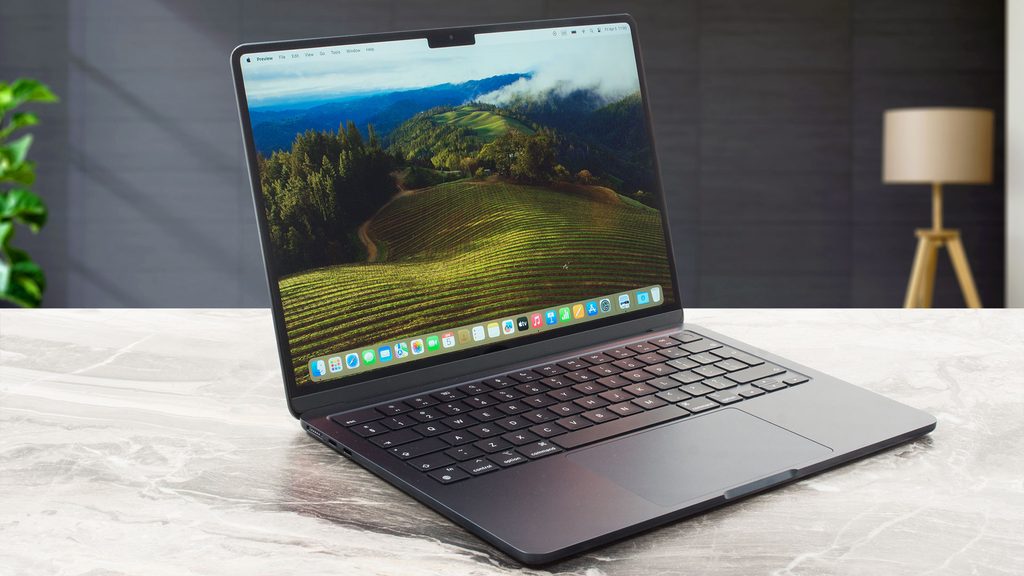
Image Source: Tech Reviewer / Hands-on Photo
Working through colour-critical photos under bright office lights without the screen turning into a mirror, then switching to a dark room and still seeing deep blacks, is the daily experience that defines the current MacBook Pro series. These machines combine Apple silicon with an aluminum body that prioritises sustained performance and display quality over the lowest possible weight.
A matching day includes long editing sessions that move between locations, multiple professional apps running at once, and battery that lasts until evening. The same design becomes less comfortable for someone who only needs light documents and web browsing at the lightest weight, or who plans to upgrade memory and storage later — nothing inside can be changed after purchase.
How long does the battery actually last when work and travel mix?
Mixed real use—documents, browser research, photo work, and intermittent video calls—commonly delivers a full day or more. Video playback stretches further. Continuous high-brightness export work or heavy multi-app sessions shorten the window, yet the larger 16-inch models with their bigger battery packs still maintain useful reserve.
The power adapters vary by configuration. Higher-power chips ship with larger bricks that add noticeable weight to a bag. Leaving the charger behind for a full day is realistic for many workflows; two consecutive heavy days usually is not.
What changes when the fans become audible?
Under normal document work, web use, and light creative tasks the machine stays silent. When sustained loads arrive—long video exports, complex compiles, or multi-track audio—the fans spin up. On the 14-inch models the chassis can become warm under the hands and on the lap during these periods. The 16-inch models handle the same loads with lower surface temperatures and more consistent fan behaviour because of greater thermal capacity.
Performance does not collapse, but it eases back to protect temperatures. Soft surfaces block airflow and make the fans work harder sooner.
How different do the 14-inch and 16-inch models feel in daily carry?
The 14-inch version weighs roughly 1.55 kg and fits more easily into smaller bags and overhead bins. It remains comfortable for full-day movement between locations. The 16-inch version weighs around 2.1 kg. The extra screen space is immediately useful for timelines and multiple windows, yet the weight becomes obvious on long walking days or crowded transport.
Both use the same high-quality keyboard and large trackpad. The difference is mainly physical presence and screen real estate rather than input feel.
| Aspect | 14-inch MacBook Pro | 16-inch MacBook Pro |
|---|---|---|
| Weight | Approx. 1.55 kg | Approx. 2.1 kg |
| Battery capacity | Smaller pack | Larger pack (around 100 Wh) |
| Thermal behaviour under load | Warms faster, fans more noticeable | Cooler surface, more consistent performance |
| Screen workspace | Compact but sharp | Noticeably more room for timelines and windows |
| Best daily pattern | Frequent movement, travel, external monitors | Desk-heavy creative work with occasional moves |
| Main trade-off | Less screen space, higher heat under max load | Extra bag weight |
The 14-inch prioritises portability. The 16-inch prioritises screen size and sustained thermal headroom. Chip options overlap, so the choice is driven more by size and cooling than by raw power availability.
Can memory or storage be increased later?
Neither memory nor storage can be upgraded after purchase. Both are soldered to the board. The amount chosen at the time of buying is permanent. 16 GB handles typical professional multitasking for many users. Heavier photo libraries, large video projects, or many simultaneous virtual machines push toward higher configurations from the start.
Storage follows the same rule. Choosing insufficient capacity means relying on external drives for the life of the machine.
Which ports remove the need for a hub on a normal desk?
Current models include multiple Thunderbolt ports, an HDMI port, an SD card slot, and a headphone jack. One cable can charge the machine and drive an external display. The SD slot handles camera cards directly. The HDMI port connects to many projectors and monitors without an adapter.
Users who need many USB-A devices still require a hub. For most creative and office desks the built-in selection covers daily needs without extra dongles.
How does the display behave in mixed lighting?
The Liquid Retina XDR panel maintains high brightness and contrast. Nano-texture options reduce reflections under strong lights and near windows. Glossy versions remain more reflective. Colour volume and contrast stay consistent for photo and video work. In very bright outdoor conditions even the brightest settings have limits, but indoor and mixed office lighting are handled cleanly.
What to verify before you buy
- Exact screen size (14-inch or 16-inch) and whether the weight fits your daily carry
- Chip tier (base, Pro, or Max) matched to your sustained workload
- Memory capacity — it cannot be increased later
- Storage capacity — it cannot be increased later
- Whether nano-texture display is included if you work under strong lights
- Power adapter wattage and size that ships with the configuration
- Port selection against your regular external devices
- Battery capacity listed for the specific model
This guide is based only on official specifications and recurring patterns from professional reviews and real-world use of the MacBook Pro series. It is independent and not sponsored. Exact battery life, surface temperatures, and configuration details vary by chip and region, so always match the full specifications on the seller’s page before purchasing. If terms such as soldered memory or thermal behaviour remain unclear, the explanations on the Start Here page will help before checking individual listings.


[…] Apple MacBook Air 13 — Lightweight mainline model with strong battery life […]