[Buyer’s Guide #3]NVIDIA vs AMD Graphics Card Selection Guide: A Practical Comparison for Beginners

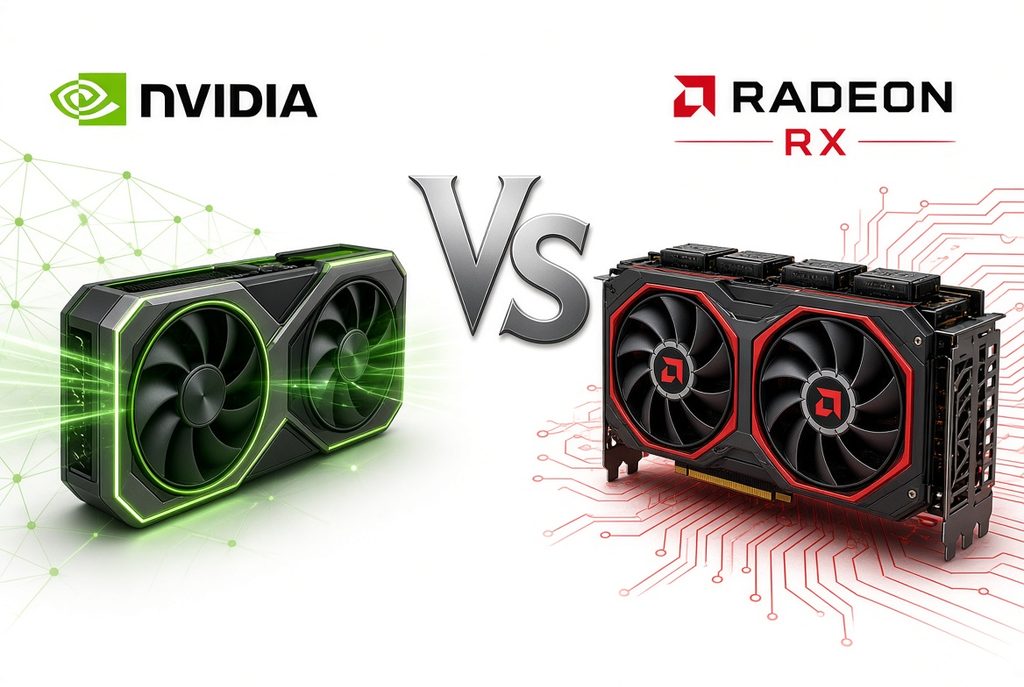
When building a new computer or upgrading a graphics card, many people pause at the same question:
“Should I go with NVIDIA (GeForce) or AMD (Radeon)?”
Looking through communities and online discussions often leaves first-time buyers even more confused, as opinions are split between “NVIDIA is the answer” and “AMD is better.”
1. The Real Difference in How the Two Brands Build Graphics Cards
NVIDIA and AMD take clearly different approaches to how a graphics card renders images.
NVIDIA (GeForce RTX): “The Power of AI Technology and Software”
- DLSS & Frame Generation: The game is first rendered at a lower resolution for speed, then AI reconstructs it into higher quality and adds extra frames to make the image smoother.
- Ray Tracing & Creative Work Support: Strong performance in realistically rendering light reflections and shadows. Excellent compatibility with creative tools such as Photoshop, Premiere, and 3D software thanks to CUDA support.
AMD (Radeon RX): “Generous Memory and Pure Rendering Performance”
- Abundant Graphics Memory (VRAM): Tends to offer more VRAM compared to similar-tier products. This is useful for high-resolution games or higher graphics settings.
- Pure Graphics Rendering: Focuses on raw 3D rendering performance (rasterization) when AI enhancement features are not used.
2. Brand Compatibility Between CPU and Graphics Card (A Common Misconception)
When choosing a graphics card, many people ask:
“Do I need an NVIDIA card if I have an Intel CPU?” or “Should I pair an AMD CPU with an AMD graphics card?”
Brand Compatibility: 100% Fully Compatible
- You can combine an Intel CPU with an AMD graphics card, or an AMD CPU with an NVIDIA graphics card, without any technical issues. Everything works at 100%.
- This is because the connection slot on the motherboard (PCIe) follows the same global standard used by all brands. Any brand combination works without problems.
What Matters Is Performance Tier Balance, Not Brand Matching
- While brand combinations are completely free, a large performance gap between the CPU and graphics card can cause a bottleneck, where one component cannot deliver its full potential.
- Therefore, matching similar performance tiers is far more important than matching brands.
3. Tier Characteristics You’ll See on Spec Sheets & Main Use Environments
This section helps you identify which performance tier matches your needs when looking at product specification tables.
【 NVIDIA GeForce RTX Lineup 】
- RTX 5090 class
Use environment: 4K gaming at maximum settings, professional 3D rendering, and AI deep-learning work
Key point: Currently the highest performance tier, but power consumption and heat output are significant, so power supply capacity and case space should be checked together. - RTX 5080 / 5070 Ti class
Use environment: 4K gaming, high-refresh-rate QHD (1440p) gaming, professional video editing, and live streaming
Key point: A high-end lineup suited for running demanding games and graphics work together. - RTX 5070 / 5060 Ti class
Use environment: QHD gaming, very high-refresh-rate FHD gaming, general video work
Key point: A balanced tier that covers most high-performance tasks and major gaming environments. - RTX 5060 / 5050 class
Use environment: FHD (1080p) gaming, popular online games such as League of Legends, Valorant, and Overwatch
Key point: A tier that matches mainstream FHD monitor setups and everyday gaming.
【 AMD Radeon RX Lineup 】
- RX 9070 XT / 9070 class
Use environment: High-refresh-rate QHD gaming and entry-level 4K
Key point: Comes with generous VRAM capacity, providing memory headroom when using high-resolution graphics settings. - RX 9060 XT class
Use environment: FHD to QHD gaming
Key point: A mainstream tier with comfortably configured graphics memory capacity. - Entry-level class
Use environment: FHD online games and general video watching
Key point: A lineup that covers basic gaming setups. Some graphics settings may need adjustment for the latest high-demand games.
4. Key Points Summary by Brand
| Category | NVIDIA (GeForce RTX) | AMD (Radeon RX) |
|---|---|---|
| Core Strengths | AI image reconstruction (DLSS), ray tracing, creative tool compatibility | Generous VRAM, strong pure rendering performance |
| Main Series | RTX 50 series | RX 9000 series |
| Suitable Environments | 3D/video work, latest graphical effects such as lighting | Pure game frame rates, preference for high-resolution texture settings |
Final Checklist Before Choosing
- What is my monitor resolution?
An FHD setup can be handled by entry-to-mainstream tiers, but QHD or 4K requires looking at higher tiers. - Do I also do creative work besides gaming?
If you mainly use video editing (Premiere), 3D, or AI tools, it is worth checking NVIDIA’s CUDA compatibility. - Is the performance tier balanced with the CPU?
It is better to choose tiers that are reasonably balanced so that neither the CPU nor the graphics card is excessively higher or lower than the other. - Is it the latest generation?
NVIDIA’s current main lineup is the RTX 50 series, and AMD’s is the RX 9000 series. Check the leading numbers to confirm whether it is the latest generation.