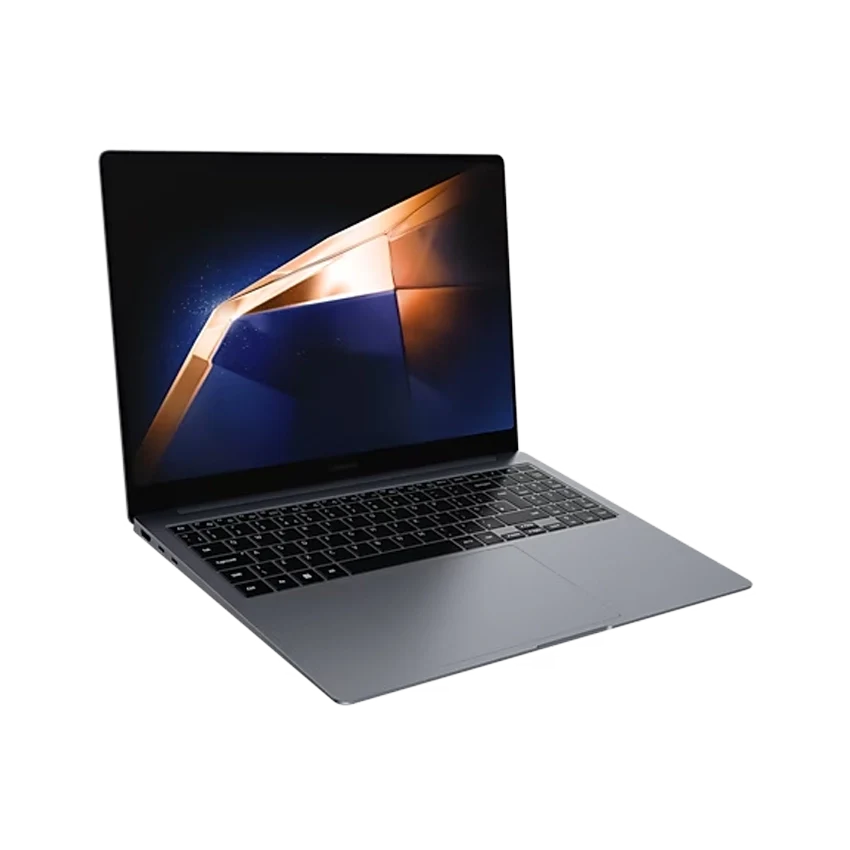
Image Source: Samsung Official
A Snapdragon chip inside a thin aluminum shell that stays quiet for hours of mixed work sits at the center of the Galaxy Book Edge series.
On a normal day this shows up when someone keeps browser tabs, documents and a video call running through a full afternoon without the fans rising, or packs the closed machine for short hops between meeting rooms and still has charge left by evening. The same design becomes less comfortable when the work needs older Windows software that still runs poorly on ARM, or when long video exports and 3D work keep the processor under continuous load. Under those longer sessions the underside warms against the lap, some apps still need emulation, and neither memory nor storage can be expanded after purchase.
What changes between the 14-inch, 15.6-inch and 16-inch Edge models
Screen size shapes the whole day.
The 14-inch Edge stays the lightest and easiest to slip into a small bag. The 15.6-inch versions often use a simpler IPS panel and lower storage options, so they feel more like everyday machines than showcase models. The 16-inch Edge brings a large 3K AMOLED panel and more desk presence, yet still stays near 1.55 kg and about 12.3 mm thick on recent units.
After a day of moving between locations the 14-inch version barely registers in a slim briefcase. The 16-inch version still travels well for its size, but the larger footprint needs clearer space on a narrow hotel desk once the lid is open. People who type for long stretches often prefer the extra vertical space of the 16-inch 16:10 panel; people who walk a lot between meetings usually notice the smaller chassis first.
How the battery actually behaves away from a charger
Mixed work lasts a full day more often than not.
Samsung lists battery capacities around 61–62 Wh on many Edge models and claims long video-playback numbers. In real mixed use—browser tabs, documents, video calls and moderate brightness—the machines commonly cover a normal office day. Continuous high-brightness AMOLED use or an external monitor shortens that window. Some independent tests recorded roughly 10 hours of heavier office simulation and longer results in lighter video playback.
When the battery warning appears, usable time left is usually short under active work. Charging runs through USB-C with a compact 65 W adapter on most configurations. A lower-wattage third-party charger slows recovery and can leave the machine still drawing from the battery under heavier loads.
When the chassis warms and the fans stay quiet
Light work stays nearly silent.
Under email, documents and ordinary browsing the Edge models remain very quiet. The Snapdragon chips keep power draw low, so fans stay off or spin only lightly for long stretches. Once the processor stays busy for several minutes—large file transfers, heavier multitasking or longer exports—the underside and the area under the keyboard warm enough that palms or bare legs notice it. Sustained loads cause the chip to ease back so temperatures stay safe. The first stretch feels responsive; later stretches feel slower.
Placing the machine on a soft cushion or bed blocks the bottom intake and makes the warmth appear sooner. A hard flat desk keeps airflow clearer.
Screen feel under office lights and outdoors
AMOLED versions pop; IPS versions stay flatter.
Premium 14-inch and 16-inch Edge models use 3K AMOLED panels with high contrast and wide color. Text and photos look sharp indoors. Under strong overhead fluorescent lights the glossy surface can throw reflections that shift when the head moves. Some later units add anti-reflective coating that reduces this effect, yet it does not remove it completely. Direct sunlight still washes the image out, as with most laptop screens.
The 15.6-inch Edge variants often use FHD IPS panels. They show less punch and lower contrast, but some people find the matte or less reflective surface easier under harsh office lighting.
Memory, storage and what cannot be changed later
Everything important is fixed at purchase.
Memory is soldered. Common configurations sit at 16 GB; higher options appear only on some units and only at order time. Adding modules later is not possible. Storage on many Edge models uses soldered eUFS rather than a replaceable M.2 drive. Once the drive fills, the only path is external storage or cloud. People who buy the smaller storage options often end up carrying an external drive for photos, video projects or large file sets.
Choosing enough memory and storage on day one is the only real upgrade path.
Ports when the desk is already crowded
The side layout covers most everyday needs.
Typical Edge models carry two USB4 / USB-C ports, one USB-A port, HDMI, a microSD slot and a headphone jack. One USB-C port is often used for charging, so an external display plus a hub can fill the remaining high-speed ports quickly. The full-size HDMI and microSD slot reduce the need for dongles compared with many thinner Windows machines. Still, a portable hub becomes useful when Ethernet, extra USB-A devices and an SD reader are all needed at the same time.
Software compatibility that still surprises people
Most daily apps work; some older tools do not.
Windows on ARM has improved, yet certain legacy programs, specialist plugins and some older drivers still run through emulation or refuse to install cleanly. People who rely only on browser tools, Microsoft 365, common creative apps and cloud services rarely notice. People who depend on niche Windows software or specific hardware drivers can hit friction. Checking critical apps before purchase remains the practical step.
| Size | Typical weight | Panel type | Battery range | Upgrade path |
| 14-inch | ~1.16–1.2 kg | 3K AMOLED common | ~62 Wh class | Memory/storage fixed |
| 15.6-inch | ~1.5 kg | FHD IPS common | ~61 Wh class | Memory/storage fixed |
| 16-inch | ~1.55 kg | 3K AMOLED common | ~61.8 Wh | Memory/storage fixed |
The 14-inch version disappears into small bags most easily. The 16-inch version gives more screen space for documents and timelines while still staying light for its size. The 15.6-inch versions trade the premium panel for a simpler everyday setup. Across the line, the fixed memory and storage remain the longest-lasting constraint.
What to check before you buy
These points decide whether the Edge series fits daily use or creates later friction.
- Exact screen size and panel type (AMOLED vs IPS) listed on the seller page
- Installed memory amount (16 GB is common; confirm before ordering)
- Storage capacity and whether it is soldered eUFS
- Whether critical Windows software already runs well on ARM
- Included charger wattage and total travel weight with the adapter
- Presence of microSD and full-size HDMI if those matter for field work
Exact chip generation, memory, storage and panel options change by region and production window, so the precise listing on the seller page for the unit under consideration remains the only reliable check. This overview draws only from official manufacturer specifications and consistent patterns reported across independent professional review sources, and it stays independent of any sales interest. For a wider look at how physical limits interact with everyday work patterns, see Start Here.