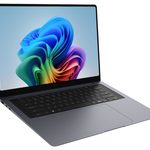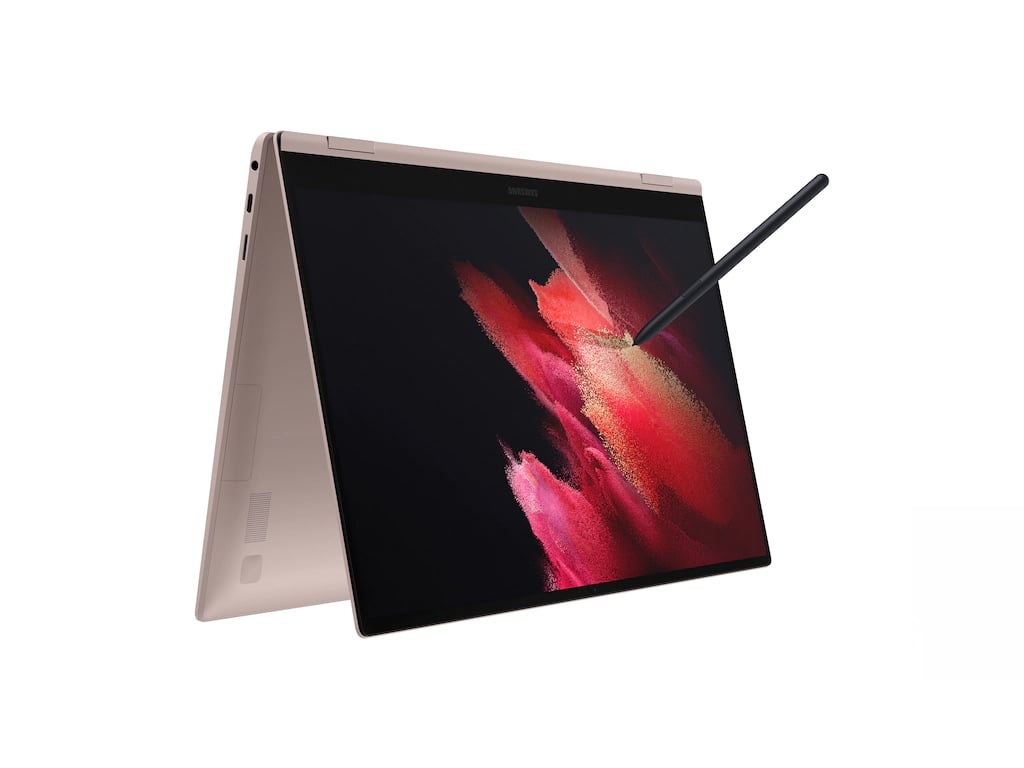
Image Source: Samsung Official
Who Is It For?
The Galaxy Book 360 flips from a thin laptop into a tablet on a desk or couch for note-taking with the S Pen or media viewing after work. A student who carries the closed machine between classes and opens it flat for handwritten notes fits the convertible pattern this series supports. A remote worker who switches between typed documents and touch annotations while moving between rooms also matches the daily flow. The sub-1.5 kg body (depending on screen size) and 65 W USB-C charger make bag carries practical, yet the soldered memory and single primary storage bay lock capacity choices at purchase. The 61–76 Wh pack sustains mixed office and media work for a full day away from the wall in many configurations, but sustained heavy loads shorten that window. If this form factor or power doesn’t quite fit your daily work, exploring other lineup categories would be a better path.
1. Soldered Memory, Fixed Storage Bay, and 360° Hinge
LPDDR memory fixed on the board
Memory is soldered LPDDR4X or LPDDR5X directly to the motherboard and cannot be removed or expanded later. Capacities are set at purchase (commonly 8 GB or 16 GB). On a desk or in tablet mode this means the number of open browser tabs or project layers is locked for the life of the machine. Confirm the exact memory size listed on the sales page before ordering.
Single primary M.2 bay and microSD
Storage typically uses one M.2 NVMe slot; adding capacity requires replacing the original drive rather than installing a second internal one. A microSD slot provides external expansion for media or documents. After purchase an owner cannot raise internal RAM, and large game libraries or video archives grow mainly by swapping the SSD or using the card slot. Check whether the listed configuration already fills the single drive bay.
360° hinge and fixed AMOLED touch panel
The hinge allows the screen to fold fully flat into tablet mode or tent positions. The AMOLED touchscreen (13.3-inch or 15.6-inch FHD on most models) stays fixed at purchase and supports the optional or included S Pen. Neither the panel nor the hinge can be upgraded later. Anyone needing a higher-resolution external monitor relies on the HDMI or Thunderbolt 4 output. Verify the exact screen size and whether an S Pen is included before ordering.
These physical limits keep capacity choices permanent and tie the convertible experience to the original hinge and display.
2. Tablet Weight, One-Hand Use, and Daily Carry
Closed thickness and bag fit
The chassis measures roughly 12–14 mm thick when closed. In a backpack or sleeve the thin profile and light weight (starting near 1.16 kg for 13-inch models, around 1.46 kg for 15.6-inch) leave room for other items. Opening to tablet mode requires clear space on a lap or table so the hinge can rotate fully without obstruction. Daily placement favors surfaces that support both laptop and flat tablet orientations.
One-hand fatigue in tablet mode
When folded flat the machine becomes a pure tablet. Holding it one-handed for extended note-taking or reading transfers the full weight to the wrist and forearm. On a hard desk the keyboard remains usable in laptop mode, but prolonged tablet sessions can cause hand fatigue more quickly than a lighter pure tablet. Soft surfaces under the closed hinge may block vents during sustained work.
USB-C charging and light-carry total
The 65 W USB-C adapter is compact and can charge the machine through either Thunderbolt 4 port. Adding the charger and S Pen still keeps the total carry weight low enough for daily transit. The 61–76 Wh battery covers mixed office, note-taking and media use for many hours away from the wall, yet continuous high-load tasks or bright AMOLED use shorten runtime. Any extended mobile session benefits from the compact charger nearby.
3. Performance by Use Case
Configurations pair Intel Core Ultra or previous-generation U/P-series processors with integrated Intel Arc or Iris Xe graphics. All work runs on the internal battery or the 65 W USB-C charger; there is no discrete high-TGP GPU.
| Use Case | Software | Rating | Reason |
|---|---|---|---|
| Note-taking and annotation | Samsung Notes, OneNote with S Pen | Sufficient | Touch + S Pen and AMOLED keep handwriting responsive in tablet mode |
| Browser and light multitasking | Chrome, Office, Teams | Sufficient | Dual-channel soldered RAM and CPU cores handle concurrent light loads |
| Media viewing and light photo | Photos, streaming, basic edits | Adequate | AMOLED color and touch work well; battery drains faster at high brightness |
| Coding or multi-tab work | VS Code, many browser tabs | Adequate | Soldered memory limits how many large projects stay open without swapping |
| Battery-only heavy rendering or gaming | Any GPU-intensive title or long export | Not enough | Integrated graphics and thin cooling restrict sustained high loads |
Lower memory configurations or older processors reduce the margin on the middle rows.
4. Official Specs (with plain explanations)
| Category | Specification | Notes |
|---|---|---|
| Display | 13.3″ or 15.6″ FHD AMOLED touch | Fixed; S Pen support; 360° hinge |
| Processor | Intel Core Ultra / previous U or P series | Soldered; generation varies by SKU |
| Graphics | Intel Arc or Iris Xe integrated | Shared system memory |
| Memory | LPDDR4X / LPDDR5X soldered, typically 8–16 GB | Not removable |
| Storage | 1× M.2 NVMe + microSD | Single primary bay common |
| Battery | 61–76 Wh typical | 4-cell Li-ion |
| Adapter | 65 W USB-C | Charges via Thunderbolt 4 ports |
| Weight | Starting ~1.16 kg (13″) / ~1.46 kg (15.6″) | With battery |
| Ports | 2× Thunderbolt 4, USB-A, HDMI, microSD, audio | Side-mounted |
This series is sold with different CPUs, memory, and storage depending on the release year and generation. Please match the specifications on your current seller page with the official information above.
Source: Samsung Official Product Page
The soldered memory and single M.2 bay listed above directly set later upgrade paths and the permanent capacity ceiling.
5. Main Variations in This Series
Screen size between 13.3-inch and 15.6-inch changes both weight and desk/tablet footprint for the life of the unit. Starting memory of 8 GB versus 16 GB affects how many browser tabs or note layers remain open before swapping begins. Processor generation from earlier Core to Ultra series alters multi-core and AI-assisted tasks. Battery capacity between 61 Wh and 76 Wh changes the length of light work away from the wall. Each of these choices is fixed after purchase because memory is soldered and the primary drive bay is usually single.
6. What to Check on the Sales Page
Confirm the exact hardware listed for the SKU you are considering, because the same series name covers multiple generations and screen sizes.
- CPU Generation: Check whether you are getting Core Ultra Series or earlier U/P-series processors.
- Exact memory capacity (soldered, not expandable) and storage size.
- Screen size (13.3″ or 15.6″) and whether an S Pen is included.
- Battery rating (61–76 Wh range) and included 65 W USB-C adapter.
- Presence of dual Thunderbolt 4 ports and microSD slot.
Matching these five items against the official sheet prevents receiving a lower-capacity or older configuration under the same series name.
7. Disclaimer & Buying Advice
This buying guide for the Galaxy Book 360 is based on official manufacturer specifications and recurring real-world user experiences. It is completely independent, not sponsored, and does not guarantee specific performance for every unit. Hardware configurations such as the processor, memory, and storage can differ by generation and region, so please double-check the exact specifications listed on your seller’s page before purchasing.
8. Beginner Guide
The soldered memory and 360° convertible hinge set the daily capacity and usage-mode boundaries of this series more than any other factor. Start Here walks through how those fixed constraints interact with common desk, tablet, and light-carry patterns before any purchase decision.