Image Source: Lenovo Official
Who This Grade Is For
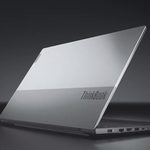
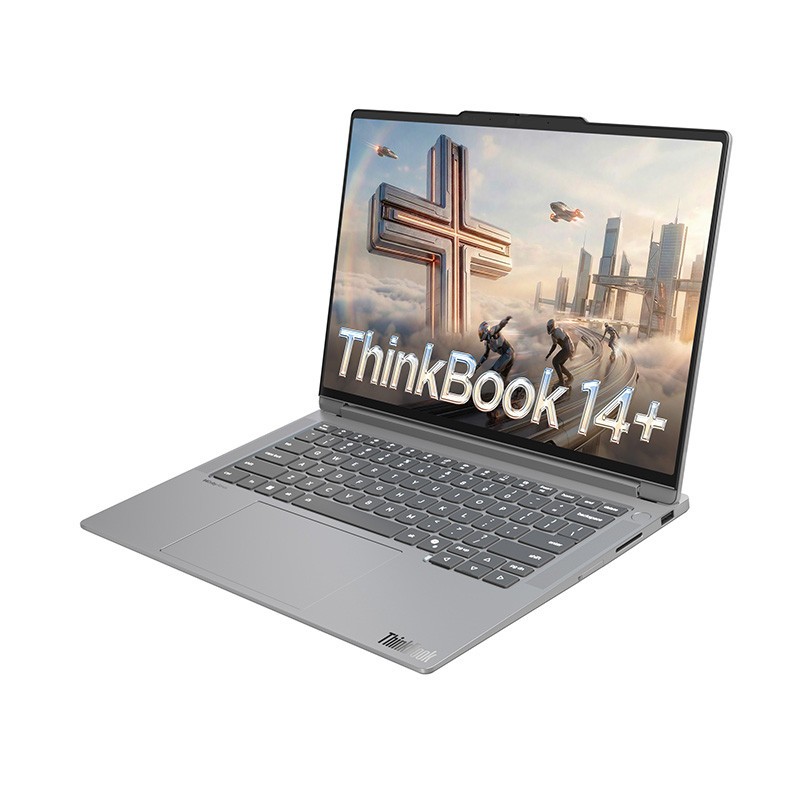
The Lenovo ThinkBook line sits in the middle commercial laptop band. It targets small offices, freelancers, and independent professionals who need solid ports, aluminum construction, and everyday productivity tools without the full enterprise stack of the ThinkPad series. A typical day that fits involves opening spreadsheets and browser dashboards on a shared conference table while running a long video call, then packing the machine into a backpack for the next meeting or campus library session. Another matching pattern is a home desk used for document work, multi-window browser research, and light creative tasks that stay within integrated graphics limits.
It does not fit continuous high-load rendering, local 3D work, or sustained gaming that requires a discrete GPU and high sustained power. It also falls short for buyers who need strict enterprise management tools, the longest warranty options, or the most rugged chassis found higher in the ThinkPad range. Office setups that rely on legacy serial ports or specialized docking ecosystems often find those connections missing here. The series keeps external display output and standard multi-monitor use workable through USB-C and HDMI, but power delivery through hubs depends on the exact adapter included with each unit.
ThinkBook 14 — Compact Footprint for Tight Surfaces
The 14-inch ThinkBook models use an aluminum body and integrated graphics, so visual processing stays inside the main processor rather than a separate chip. The smaller chassis fits on narrow coffee-shop tables or airplane tray tables without pushing other items off the surface.
A working day that succeeds here centers on long document sessions, multiple research tabs, and regular video meetings. The reduced size and weight keep the daily bag load manageable during walking or public-transit commutes.
When the same machine runs heavy local database work or several virtual machines at once, the limited thermal space causes the processor to lower its speed to stay cool. Sustained maximum output is shorter than on larger chassis.
Match: daily transit between different workspaces, document and browser work, video calls on compact desks.
Miss: long compilation jobs, professional 3D modeling, or any task that needs discrete graphics.
ThinkBook 16 — Wider Screen and Numeric Entry
The 16-inch models add screen width and, on most configurations, a full numeric keypad on the right side of the keyboard. Graphics remain integrated. The larger body supports side-by-side spreadsheet and dashboard layouts without an external monitor.
An appropriate use is tracking accounting sheets next to web tools at a fixed home or office desk for extended administrative periods. The extra keyboard real estate reduces hand movement during repeated number entry.
Carrying the larger unit in a small bag or using it on tight lecture-hall tables creates physical overhang and added weight strain. The chassis does not sit comfortably on the smallest folding surfaces.
Match: multi-window data work, numeric-heavy tasks, stationary or large-bag use.
Miss: minimal-bag commuting, cramped seating, or frequent standing note-taking.
ThinkBook 16p — Higher Power and Discrete Graphics
The 16p variants pair higher-wattage processors with discrete graphics chips that handle rendering separately from the main CPU. Dual-fan cooling manages the increased heat. Memory and storage slots in current generations commonly support expansion up to higher totals than the base models.
A matching workload includes architectural model work, high-resolution video timelines, or local machine-learning scripts at a fixed studio desk with reliable power. The separate graphics hardware shortens render times compared with integrated-only machines in the same family.
Running those same loads on battery alone drains power quickly and raises fan noise. All-day mobile use away from an outlet becomes impractical once sustained high draw begins.
Match: local video production, CAD drafting, software builds, and graphic work that needs discrete graphics.
Miss: full-day remote sessions without a charger, ultra-light travel, or quiet environments during heavy processing.
How the Models Differ in Daily Practice
| Point | ThinkBook 14 | ThinkBook 16 | ThinkBook 16p |
|---|---|---|---|
| Screen size | 14 inches | 16 inches | 16 inches |
| Graphics | Integrated | Integrated | Discrete GPU options |
| Typical memory access | SODIMM or soldered (check) | SODIMM or soldered (check) | Usually dual SODIMM, higher max |
| Primary carry pattern | Frequent daily transit | Stationary or large bag | Fixed desk with occasional moves |
| Thermal envelope | Compact | Moderate | High-power dual-fan |
Selecting the 14-inch size makes sense when the day involves moving between tight spaces and light administrative work. The 16-inch size supplies the extra width needed for side-by-side spreadsheets without adding a second screen. The 16p aligns with tasks that require separate graphics hardware and higher sustained power. Desk depth and bag capacity decide whether the larger chassis will fit the physical routine. Power-outlet availability at usual work spots determines whether the higher-wattage models stay practical.
Patterns That Appear Across the Line
Memory configuration is the most frequent decision point. Some units ship with SODIMM slots that accept later upgrades; others use soldered modules that fix the amount at purchase. Storage usually uses M.2 solid-state drives that boot and transfer files quickly, yet filling them near capacity slows responsiveness over time. Dual SSD slots appear on many current chassis and allow expansion without replacing the original drive.
Under ordinary office loads the fans stay quiet. Demanding tasks raise audible rotation as the cooling system responds to heat. Matte screens keep indoor visibility usable under typical office lighting; they diffuse overhead glare rather than eliminate it. Mixed web-and-document days deliver several hours of battery, but continuous video calls or rendering shorten that window noticeably. Brand utility software for power profiles and updates requires initial setup before background tools behave as expected. Keyboard decks remain generally rigid, though center areas can show slight flex under heavy typing pressure. Port layouts commonly include USB-A, USB-C/Thunderbolt, HDMI, and often an SD reader or Ethernet on higher configurations; exact counts change by generation and region.
What to Verify on the Seller Page
Exact configuration details shift by market and production batch. Matching the full specification block on the current listing prevents mismatches.
- Confirm the precise model name and generation (14, 16, or 16p) so a standard unit is not confused with a higher-power or thinner variant.
- Check the exact system memory amount and whether the modules are SODIMM (upgradeable) or soldered (fixed).
- Inspect storage capacity, drive type, and number of M.2 slots available for expansion.
- Examine display size, resolution, brightness, and panel type.
- Verify the preinstalled operating system edition.
- Identify the processor series and generation code listed.
- Note the wattage of the included power adapter and the full port selection against your external display and peripheral needs.
Independence Note
This guide draws only from official manufacturer specifications and recurring real-world constraints observed across the series. It is completely independent, not sponsored, and does not guarantee performance of any individual unit. Configurations change by region and production batch. Always match the full specification block on the seller’s page before purchasing.
Beginner Foundation
If terms such as soldered RAM, integrated graphics versus discrete GPU, or SODIMM slots still feel unclear, read the basics first in our Start Here, then return to the exact memory, graphics, and model-name lines on the product page.