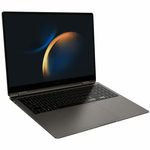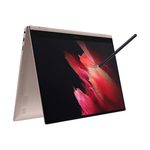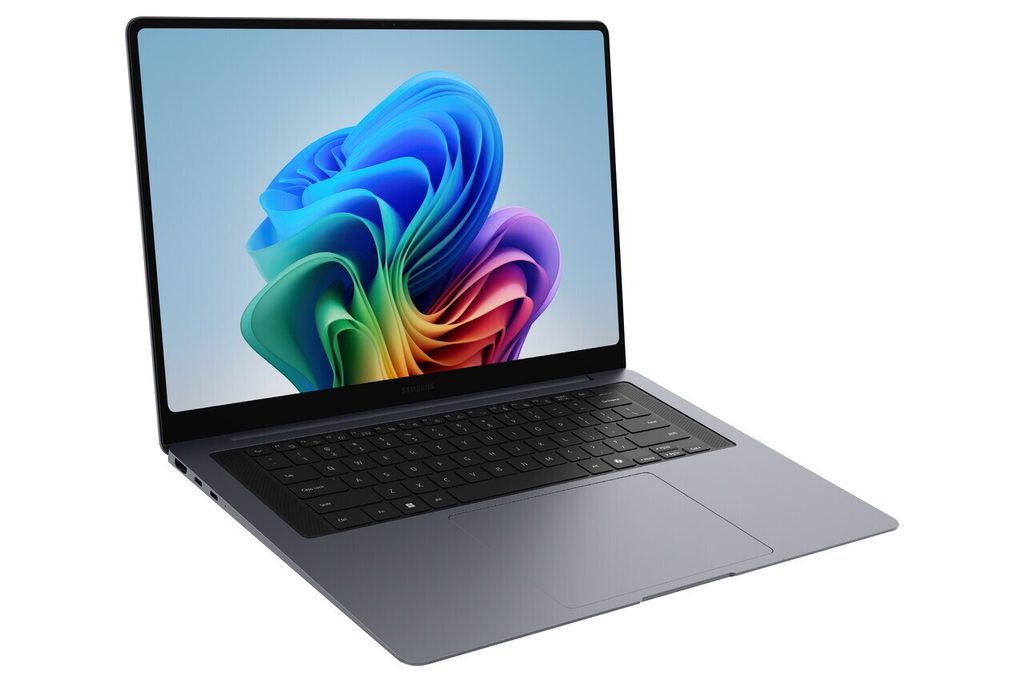
Image Source: Samsung Official
Exporting a long timeline on battery during a client wait, then only reaching for the charger when the progress bar is halfway, is the daily pattern that defines the current Galaxy Book Ultra series. These machines sit at the top of Samsung’s Windows lineup. They combine high-refresh AMOLED screens, discrete Nvidia graphics options, and aluminum bodies built for sustained creative work rather than the lightest possible carry weight.
A matching day includes multi-layer photo or video projects that move between locations, colour checks under mixed lighting, and performance that holds longer than thinner models when the load stays high. The same design becomes less comfortable for someone who only needs documents and web browsing at minimum weight, or who plans to upgrade memory later. Nothing inside can be changed after purchase. It also fits poorly for people who already carry a heavy bag all day and add a 16-inch machine on top.
How long does the battery last during mixed creative work?
A full day is possible. Light editing, browser research and intermittent calls usually reach evening. Continuous high-brightness timeline work or long exports shorten the window faster than on thinner Galaxy models. The larger battery packs still leave usable reserve for travel between locations.
Higher-power configurations ship with bigger chargers that add noticeable weight to a bag. Leaving the charger behind for one mixed day works for many users. Two consecutive heavy export days usually does not. When the battery warning appears during a long export, remaining time often drops to under an hour at high brightness.
What happens to heat and fans under sustained loads?
Fans become clearly audible. Under normal document and light edit work the machine stays relatively quiet. Long exports, complex effects or multi-app creative sessions raise temperatures quickly. Heat concentrates under the hands and on the underside, becoming noticeable on the lap after 20–30 minutes of sustained load.
Performance eases back to protect the hardware once the thermal limit is reached. Soft surfaces block vents and make the fans spin harder sooner. In a quiet meeting the fan noise can become distracting. A hard flat desk keeps airflow open longer and reduces the slowdown.
How does the 16-inch size feel in daily carry?
Noticeably heavier than thinner lines. The extra screen space helps timelines and multiple windows, yet the weight registers on long walking days or crowded transport. People who move between three or more locations daily often notice the difference by afternoon. The aluminum body stays rigid when lifted by one corner, but the overall package prioritises screen and cooling over easy all-day bag weight.
Most current Ultra models focus on the 16-inch form. The larger chassis gives better thermal headroom than 14-inch premium machines, at the cost of portability.
Can memory or storage be upgraded later?
Neither can be changed. Both memory and storage are soldered. The capacity chosen at purchase is permanent. Choosing 16 GB and later opening dozens of browser tabs plus large photo files often leads to stuttering within a year. Insufficient storage means carrying an external drive for the life of the machine.
Higher memory configurations avoid that slowdown when large libraries, multiple video streams and browser tabs run together. The regret usually appears after the return period has ended.
Which ports reduce dongle use on a real desk?
Thunderbolt and HDMI cover most needs. Multiple Thunderbolt ports handle charging and external displays with one cable. Full-size HDMI connects directly to many monitors and projectors. An SD card slot takes camera cards without an adapter.
Users who rely on many older USB-A devices still need a hub. For typical creative desks the built-in selection removes the most common adapters. The limitation appears when several USB-A accessories and an Ethernet connection are needed at the same time.
How does the AMOLED screen behave in mixed lighting?
High contrast stays visible. Deep blacks and wide colour volume help when checking photos or footage. In bright rooms or near windows the glossy surface still reflects overhead lights and outdoor glare. Raising brightness helps, but some reflection remains. Fingerprints show more easily than on matte panels and need occasional cleaning during long sessions.
The high refresh rate makes timeline scrubbing and window movement feel smooth. The reflection issue becomes most noticeable under strong office lighting or next to large windows.
What separates higher and lower Ultra configurations in real use?
Higher GPU options hold performance longer during sustained exports and complex effects. Lower configurations stay quieter and cooler in mixed daily work but reach thermal limits sooner under heavy creative loads. Battery life shortens as the graphics power rises. Weight and size remain similar across the main 16-inch range.
People who run heavy exports only once or twice a week often find the lower configurations sufficient. Those who do sustained GPU work daily notice the higher tiers maintain speed longer before fans and heat become prominent.
| Aspect | Lower Ultra configs | Higher Ultra configs |
|---|---|---|
| Sustained creative load | Adequate for moderate projects | Holds longer during long exports |
| Fan noise under load | Noticeable but moderate | Louder and more frequent |
| Surface heat | Warm under sustained work | Warmer, especially on the underside |
| Battery under mixed use | Better margin | Shorter when GPU stays active |
| Daily carry feel | Same overall weight range | Same overall weight range |
The choice is mainly about how often heavy sustained loads occur, not about different sizes.
What to check before you buy
These points focus on choices that cannot be changed later or that directly affect daily comfort and performance. Checking them against your actual workload and carry pattern prevents the most common regrets.
- Exact GPU tier matched to how often you run long sustained exports
- Memory capacity — it cannot be increased later
- Storage capacity — it cannot be increased later
- Battery capacity listed for the specific configuration
- Screen coating and brightness if you work under strong lights
- Power adapter size and wattage that ships with the model
- Port selection against your regular camera and monitor setup
- Weight if you move the machine between multiple locations most days
This guide is based only on official specifications and recurring patterns from professional reviews and real-world use of the Galaxy Book Ultra series. It is independent and not sponsored. Exact battery life, thermal behaviour and configuration details vary by region and GPU option, so always match the full specifications on the seller’s page before purchasing. If terms such as soldered memory or thermal throttling remain unclear, the explanations on the Start Here page will help before checking individual listings.