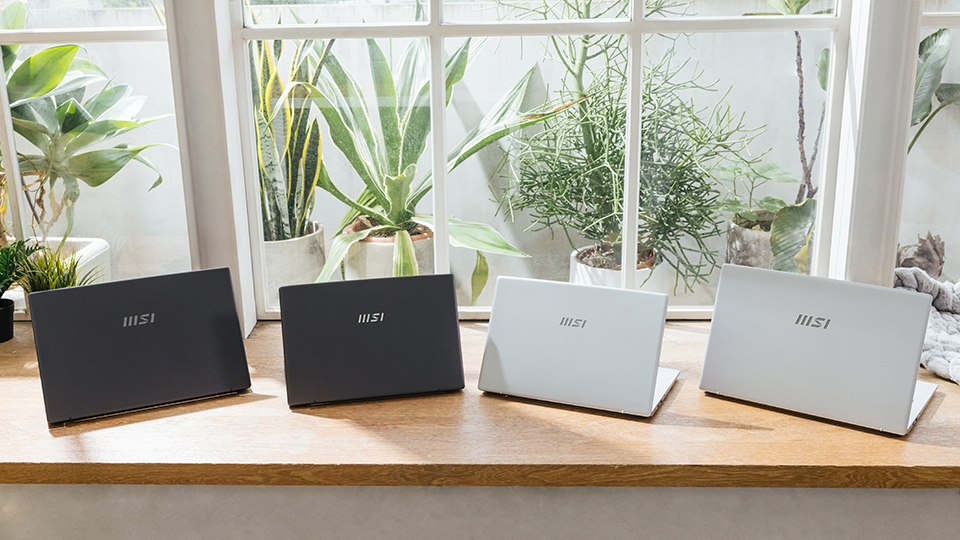
Image Source: MSI Official
The MSI Prestige and Modern laptop lines take two different approaches to everyday work. Prestige models use aluminum or magnesium-alloy bodies, larger batteries, and wider color-gamut screens. Modern models use mixed materials or mostly plastic shells with smaller batteries. They suit desk use or short trips where lower cost matters more than premium build.
Prestige fits days spent moving between meeting rooms, checking colors for print materials, or carrying a light machine in a tote without shoulder strain. Modern fits a fixed home desk, short trips to a library with power nearby, and steady work with spreadsheets, email, and documents. Neither line handles long, high-power tasks such as heavy 3D rendering or large local machine-learning jobs. Their thin designs cannot move heat fast enough for those loads.
How Case Materials Affect Bag Transit and Chassis Flex
Case materials decide how well a laptop survives daily travel. Prestige models use stamped aluminum or magnesium alloys. These metals resist bending when the machine is lifted by one corner. The rigid frame protects the internal board when the laptop is packed tightly against books or a water bottle.
Modern models use more polycarbonate plastic. Plastic flexes under pressure. In a crowded bag, that pressure can transfer to the screen and create permanent light-bleed spots—bright patches that show up on dark backgrounds. Hinges also feel the difference. Opening the lid from one corner puts uneven force on the hinges. Metal frames handle this better. Plastic frames pass more stress to the hinge mounts, which can loosen over years of daily use.
Weight makes a clear difference in long walks. Many 13-inch and 14-inch Prestige models sit near or under 1 kg. That weight feels almost negligible in a bag and reduces shoulder strain on long commutes. Modern models usually weigh 1.4–1.7 kg. The extra weight suits short moves—from a couch to a desk—more than all-day campus or airport walking.
Mapping Battery Cell Volume to Actual Working Hours
Battery claims on product pages come from low-brightness video tests. Real work drains power faster. A dozen browser tabs, background sync, and a video call together pull much more energy.
Battery size is measured in watt-hours (Wh). Prestige models usually carry more than 70 Wh. Some 16-inch versions approach the 99 Wh airline limit. Under mixed office work with higher brightness, this often delivers six to eight hours. That is enough for a full day without a charger.
Modern models commonly use 39–52 Wh batteries. The same mixed workload usually empties them in three to four hours. This keeps the machine tied to nearby power outlets and limits long sessions in cafes or client sites without plugs.
A continuous video call raises power draw further because the camera, network, processor, and screen all stay active. A 39 Wh battery can struggle to finish a two-hour meeting. A 70 Wh battery handles the same call and still leaves power for later document work. Chargers also differ. Prestige units often ship with compact USB-C adapters. Some Modern units still use bulkier traditional chargers that add extra weight to a bag.
Color Representation and Glare Resistance Under Bright Lights
Screen quality affects both accuracy and eye comfort. Prestige panels typically cover 100% sRGB or 100% DCI-P3. These wide gamuts keep colors consistent with other standard displays, which matters when checking logos or product photos for print.
Many Modern panels cover about 45% NTSC. Colors look more muted. Text and spreadsheets remain clear, but brand colors and photo tones can look inaccurate.
Brightness is measured in nits. A 250-nit screen struggles against overhead lights or window glare and forces the eyes to work harder. Screens at 400 nits or higher stay readable in bright rooms. Some Prestige models use OLED panels. Each pixel makes its own light, giving true black and high contrast. This improves media viewing but carries a small long-term risk of image retention if bright static elements stay on screen for thousands of hours. Standard IPS panels avoid retention but show a slight gray glow in dark scenes because the backlight stays on.
Comparing Baseline Footprints and Expansion Thresholds
The table below shows the practical differences that affect daily use.
| Core Specification Area | Prestige Series Realities | Modern Series Realities |
|---|---|---|
| Primary Casing Materials | Milled aluminum or magnesium alloys | Polycarbonate plastics or mixed shell blends |
| Common Transport Weight | 0.99 kg to 1.6 kg (depends on screen size) | 1.4 kg to 1.7 kg (depends on screen size) |
| Internal Power Reservoir | 70 Wh to 99 Wh | 39 Wh to 52 Wh |
| Color Reproduction Accuracy | 100% sRGB or 100% DCI-P3 | 45% NTSC (colors appear muted) |
| High-Speed Data Ports | Thunderbolt 4 (40 Gbps, power, dual display) | Standard USB-C (limited data throughput) |
| Memory Expansion Limits | Soldered (fixed at purchase) | Varies (some soldered, some socketed) |
Lower weight and rigid build make Prestige easier to pack for short trips. Smaller batteries on Modern models mean a charger is needed more often, adding to the total carry weight. Port differences change desk setups. One cable can handle power and multiple displays on Thunderbolt. Standard USB-C usually needs extra cables for the same setup.
How Fixed Memory Ceilings Dictate Multitasking Lifespans
Many thin laptops now use soldered memory. The RAM chips are fixed directly to the board. This saves space and can improve speed, but the amount bought on day one cannot be increased later.
An 8 GB configuration limits the machine to lighter work. Running a video call, a large spreadsheet, and other programs at the same time forces the system to use the slower storage drive for overflow data. This process, called paging, causes lag, audio dropouts, and temporary freezes. A 16 GB or 32 GB fixed amount avoids most of this problem and keeps many tabs and programs responsive.
Some Modern models still offer SODIMM slots that allow later upgrades. Most current Prestige models do not. Storage drives are usually separate and can often be replaced with a larger one, but the RAM limit stays fixed.
Cable Clutter and Bandwidth Limits for External Monitors
Data speed decides how smoothly external monitors and drives work. Prestige models include Thunderbolt 4 ports. These move data at up to 40 Gbps. One cable can charge the laptop, drive two 4K monitors, run a fast external drive, and connect network at the same time through a hub.
Modern models usually use standard USB-C ports with lower limits, often 5 or 10 Gbps. These ports can charge the laptop and support one external display, but they struggle with multiple high-resolution screens and fast drives at once. The result can be flickering, lower refresh rates, or slower file transfers. A full multi-monitor desk then needs several separate cables, which adds clutter and slows the process of plugging in or packing up.
Fan Noise and Performance Drops Under Heavy Processing
Thin designs use small fans and short heat pipes. During normal document work or web browsing the fans stay quiet or silent and the case stays cool.
Sustained heavy tasks change this. Code compiling, batch photo filtering, or video exporting raise internal temperatures quickly. The fans spin up and become clearly audible. When the cooling system reaches its limit, the processor slows itself down to avoid damage. This is called thermal throttling. Tasks then take longer than they would on a thicker machine with stronger cooling.
Soft surfaces such as a bed or couch block the intake vents and make throttling happen sooner. The case also grows warmer. A hard, flat surface keeps airflow open and helps the machine maintain higher speeds for longer.
This guide is based only on official manufacturer specifications and recurring physical, power, and thermal constraints seen across thin-and-light laptops. It is independent and not sponsored. Memory size, screen type, and battery capacity can differ by region and exact configuration, so always match the full specifications on the seller’s page before buying. If terms such as soldered memory, sRGB, thermal throttling, or Thunderbolt are still unclear, the explanations on the [Start Here] page will help before you check individual product listings.