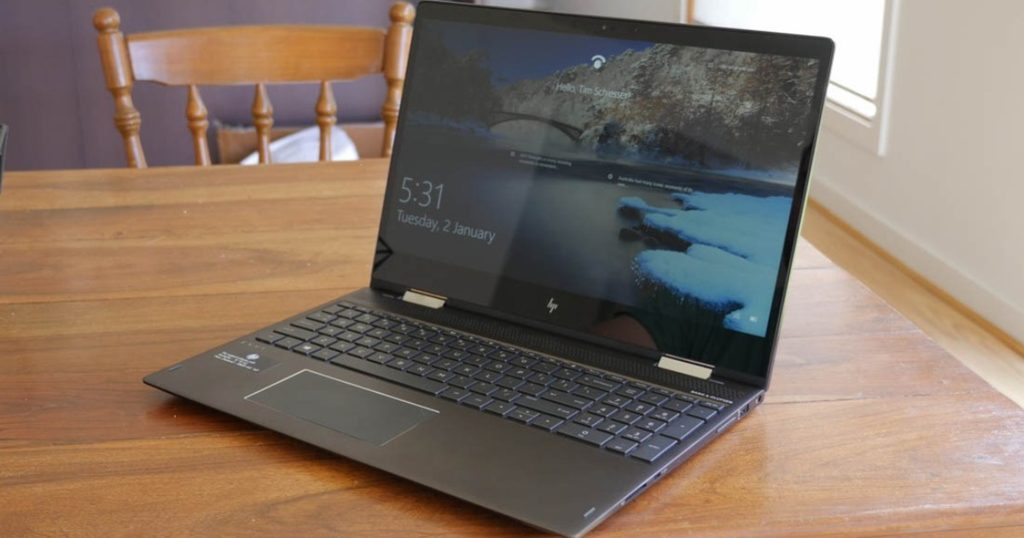
Image Source: Tech Reviewer / Hands-on Photo
Who Is It For?
The ENVY 16 is used by office professionals and students who require a high-performance machine for multitasking but do not want a dedicated gaming laptop. It fits the needs of content creators who perform photo editing or video production and benefit from the color-accurate screen and dedicated graphics card. It also serves as a primary computer for those who prioritize a solid aluminum build and the ability to upgrade RAM and storage over time. The 16-inch screen and high-resolution webcam make it a choice for those who spend a significant portion of their day in video conferences and managing large data sets.
If this form factor or power doesn’t quite fit your daily work, exploring other lineup categories would be a better path.
1. Check Before You Buy
Physical Weight and Portability
The ENVY 16 is constructed from a solid aluminum chassis, which contributes to a total weight ranging from 2.3 kg to 2.7 kg. This weight is significant when compared to smaller 13-inch or 14-inch laptops. Carrying the device in a standard backpack for long durations results in a different physical experience than carrying a lightweight ultrabook. The 16-inch screen size also results in a larger footprint, requiring a bag specifically designed for 16-inch hardware. The aluminum surfaces provide a rigid feel, but the total weight of the laptop and the 200W or 230W power adapter often exceeds 3 kg in a travel bag.
Thermal Management and Cooling
The cooling system in the ENVY 16 uses a combination of heat pipes and dual fans to manage the thermal output of the H-series processor and the dedicated graphics card. Some higher-tier models utilize a vapor chamber cooling system, which is a flat, liquid-filled plate that spreads heat more evenly than traditional pipes. During basic tasks like document editing or web browsing, the fans operate at a low speed. When the system is under a heavy load, such as during video rendering or 3D modeling, the fans increase their rotation speed. This results in a steady air-rushing sound from the vents located on the sides and the rear. The aluminum chassis acts as a secondary heat sink, and the area above the keyboard will feel warm to the touch during these periods.
Internal Upgradability and Longevity
A specific characteristic of the ENVY 16 is the presence of two physical RAM slots and two M.2 SSD slots. Many modern laptops in this size category have moved to soldered memory, which cannot be changed. The ENVY 16 allows for the removal and replacement of both memory modules and storage drives. If a unit is purchased with 16GB of RAM, it can be increased to 32GB or 64GB later. Similarly, if the primary storage becomes full, a second SSD can be installed in the empty slot without removing the original drive. This internal accessibility is a factor for those who intend to adjust their hardware as software requirements grow over time.
Display Characteristics and Reflections
The 16-inch screen uses a 16:10 aspect ratio, providing more vertical space than a traditional 16:9 widescreen. The OLED version features a glossy finish, which provides high contrast and deep black levels. However, this glossy surface reflects overhead lights and windows. In brightly lit environments, these reflections are visible on the display. The IPS version often features a different coating, but the high-resolution nature of these panels means that text remains sharp even at lower font sizes. The 120Hz refresh rate results in smoother movement of the mouse cursor and window animations compared to standard 60Hz screens.
2. How It Fits a Real Desk Setup
Port Layout and Cable Management
The ports on the ENVY 16 are distributed across both sides of the chassis. The right side houses the two Thunderbolt 4 ports, one USB-A port, and the HDMI 2.1 port. The left side contains the second USB-A port, the MicroSD card reader, and the headphone jack. This layout means that cables for power, external monitors, and high-speed data drives will primarily protrude from the right side. For right-handed users who use an external mouse close to the laptop, these cables can interfere with the mouse movement area. The inclusion of a full-size HDMI 2.1 port allows for connection to a 4K monitor without an adapter.
Keyboard and Input Experience
The keyboard does not include a numeric keypad, which allows the QWERTY keys and the touchpad to be centered in the middle of the chassis. This symmetrical layout provides a consistent typing position for the hands and wrists. The keys have a 1.5mm travel distance, providing a tactile response that is consistent across the layout. The touchpad is large and uses a glass surface, which provides a smooth feel for multi-finger gestures. The speakers are located on the sides of the keyboard deck, firing upwards. This placement ensures that the sound is not muffled when the laptop is sitting on a desk or a lap.
Display and Visual Workspace
On a desk, the 16-inch screen provides enough space to have two windows open side-by-side without the content feeling cramped. The 16:10 ratio is useful for vertical tasks like reading long documents or managing timelines in video editing software. The high resolution (2560 x 1600 or higher) allows for more information to be displayed on the screen at once compared to a standard Full HD monitor. When connected to an external monitor via the Thunderbolt 4 ports, the laptop can function as a secondary display that is large enough to be used for primary tasks. The OLED technology ensures that colors remain consistent even when the screen is viewed from the side.
Webcam and Communication
The webcam is located at the top of the screen and features a 5MP resolution, which is higher than the standard 1080p cameras found in many laptops. This results in a clearer image for video conferencing in various lighting conditions. The system includes an infrared (IR) sensor for Windows Hello facial recognition, allowing the user to sign in by looking at the camera. A physical privacy shutter is not present, but a dedicated key on the keyboard electronically disables the camera. The dual microphones use AI noise-reduction technology to filter out background sounds during calls.
Audio and Surface Interaction
The audio system is tuned by Bang & Olufsen and consists of four speakers. Two speakers are located on the keyboard deck, and two are located on the bottom of the chassis. This quad-speaker setup provides a fuller sound than standard dual-speaker systems. The sound quality is influenced by the surface the laptop is sitting on; a hard desk reflects the sound from the bottom speakers toward the user. The volume is sufficient for media playback and video calls in a standard room. The 3.5mm headphone jack supports high-impedance headsets, which is a factor for those who use professional audio equipment.
3. Performance by Use Case
The performance of the ENVY 16 is determined by the specific processor and the amount of RAM installed. The following ratings assume a configuration with 16GB of RAM and an RTX 4060.
| Use Case | Software | Rating | Reason |
| Office Productivity | Excel, Word, Outlook | Sufficient | Fast response times and large screen for multitasking |
| Web Browsing | Chrome, Edge (20+ tabs) | Sufficient | 16GB+ RAM handles many active tabs without lag |
| Video Editing | Premiere Pro, DaVinci | Sufficient | Dedicated GPU and H-series CPU speed up renders |
| Photo Editing | Photoshop, Lightroom | Sufficient | High-resolution, color-accurate screen is beneficial |
| 3D Gaming | AAA Games (Modern) | Adequate | Possible at 1080p/1440p, but fans will be loud |
The ratings above reflect the capabilities of the hardware when connected to a power outlet. Performance in specific applications will depend on the complexity of the project files and the thermal mode selected in the HP Command Center.
4. Official Specs (with plain explanations)
| Category | Specification | Notes |
| CPU | Intel Core i5 / i7 / i9 (H-Series) | High-performance H-series, multi-core focus |
| Graphics | NVIDIA GeForce RTX 4050 / 4060 | Dedicated NVIDIA chips, supports hardware acceleration |
| Memory | Up to 32GB DDR5 (5200MHz) | Two SO-DIMM slots, replaceable modules |
| Storage | Up to 2TB NVMe SSD | Two M.2 slots, internal expansion possible |
| Display | 16-inch QHD+ IPS or 2.8K OLED | 16:10 aspect ratio, high resolution options |
| Weight | Approx. 2.3 kg to 2.7 kg | Solid aluminum build, significant physical presence |
| Battery | 83Wh Lithium-ion polymer | Large capacity, internal lithium-ion polymer |
| Ports | 2x Thunderbolt 4, 2x USB-A, HDMI 2.1 | Dual Thunderbolt 4, full-size HDMI 2.1 |
This series is sold with different CPUs, memory, and storage depending on the release year and generation. Please match the specifications on your current seller page with the official information above.
Source: HP Official Product Page
The technical specifications of the ENVY 16 define its role as a high-performance machine housed in a traditional laptop format. These components determine how the device handles software and how it physically behaves during daily use. Understanding these individual parts is necessary to identify the capabilities of a specific unit found on a retail website.
5. Main Variations in This Series
The ENVY 16 series features several hardware combinations that change the processing power and visual experience. These variations are determined by the specific model chosen at the time of purchase.
- Processor options include the Intel Core i5, i7, and i9 from the H-series family, which impacts the speed of data processing and multitasking.
- Graphics configurations are split between the NVIDIA GeForce RTX 4050 and the RTX 4060, affecting the performance in 3D applications and video rendering.
- Display technology is available in two types: a QHD+ IPS panel with a 120Hz refresh rate or a 2.8K OLED panel with high contrast.
- Memory is provided in 16GB or 32GB capacities, utilizing two physical slots that allow for changes after the initial purchase.
- Storage sizes range from 512GB to 2TB, with the chassis containing two separate M.2 slots for internal drive expansion.
6. What to Check on the Sales Page
When viewing an ENVY 16 listing, the specific processor generation and the memory configuration are the most important details to verify. Sellers often list different hardware versions under the same series name.
- CPU Generation: Check whether you are getting the Intel 13th Gen or 14th Gen H-series processors.
- Memory Configuration: Confirm if the RAM is 16GB or 32GB and if both slots are occupied.
- GPU Model: Verify if the unit includes the NVIDIA RTX 4050 or the RTX 4060 dedicated card.
- Screen Type: Confirm if the display is the IPS or OLED version based on your preference for contrast.
- Storage Slots: Verify that the unit contains two M.2 slots if you intend to add a second drive later.
The specifications on a retail page can sometimes be generalized. Matching the manufacturer’s part number with the official datasheet is the most accurate way to confirm the internal hardware.
7. Disclaimer & Buying Advice
This buying guide for the ENVY 16 is based on official manufacturer specifications and recurring real-world user experiences. It is completely independent, not sponsored, and does not guarantee specific performance for every unit. Hardware configurations such as the processor, memory, and storage can differ by generation and region, so please double-check the exact specifications listed on your seller’s page before purchasing.
8. Beginner Guide
If you are new to choosing computer hardware and want to understand the basics of these components, you can [Start Here] to learn more about how to read specifications.