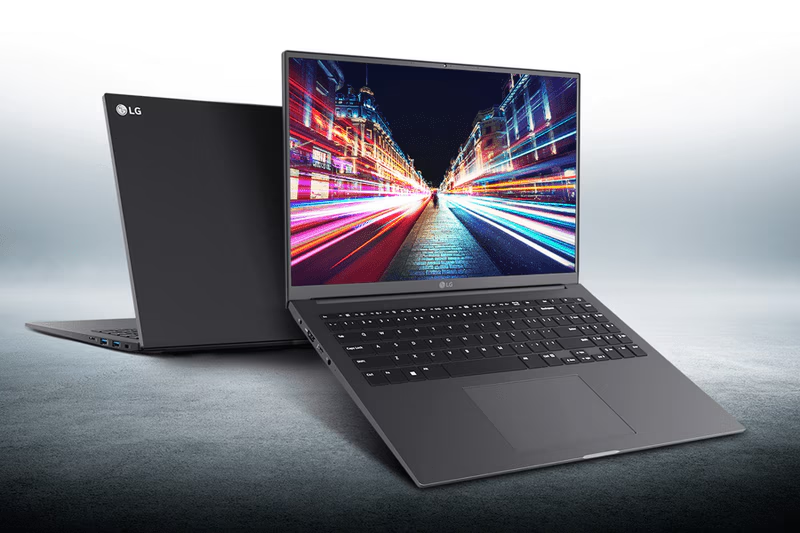
Image Source: LG Official
Who Is It For?
The LG Ultra PC 16 is for users who need a large, 16:10 display for productivity but are working within a specific budget. It fits well for students who need to view multiple research documents at once, office workers who manage large spreadsheets, and home users who want a large screen for web browsing and media consumption. It is a functional tool for those who move their laptop occasionally but spend most of their time working at a desk. It is not intended for professional gamers or high-end video editors who require dedicated graphics cards and color-accurate, high-brightness displays. If this form factor or power doesn’t quite fit your daily work, exploring other lineup categories would be a better path.
1. Check Before You Buy
The LG Ultra PC 16 is a laptop designed for users who need a large display for productivity but do not require the extreme light weight of the premium gram series. It occupies a space in the market for those who prioritize screen real estate and a full keyboard over high-end materials or specialized graphics. Because it is a 16-inch device, it introduces specific physical considerations regarding portability, screen visibility, and internal hardware limitations.
The 16:10 Aspect Ratio and Screen Brightness
The display uses a 16:10 aspect ratio, which is taller than the traditional 16:9 widescreen format. This provides more vertical space for viewing rows in a spreadsheet or reading long documents. The screen features an anti-glare matte coating, which helps reduce reflections from overhead office lights. However, the brightness level of the Ultra PC 16 is typically rated around 250 to 300 nits. This level of brightness is sufficient for indoor office environments but will make the screen difficult to see if used outdoors or in a room with very large, bright windows. The resolution is WUXGA (1920×1200), which is clear for text but less sharp than the 2.5K or 3K displays found on higher-end models.
Weight and Portability Comparison
At approximately 1.6 kg, the Ultra PC 16 is significantly heavier than the 1.2 kg LG gram 16. While 1.6 kg is still considered portable for a 16-inch laptop, the difference is noticeable when carrying the device in a backpack for an entire day. The chassis is also thicker than the gram series, which makes it feel more substantial but also more bulky in a crowded bag. The use of plastic in the base provides a different tactile feel than magnesium alloy; it is rigid enough for desk use, but there is more flex in the keyboard deck if heavy pressure is applied.
Soldered Memory and Expansion Limits
A critical technical detail of the Ultra PC 16 is the soldered memory. The RAM chips are permanently attached to the motherboard to keep the chassis thin. There are no empty slots to add more memory later. If a user purchases an 8GB model and finds that their multitasking needs grow, the only way to increase memory is to replace the entire laptop. For long-term use with modern web browsers and office suites, the 16GB configuration is the fixed limit for the life of the machine. Conversely, the storage is expandable via a second M.2 slot, which is a useful feature for users who store large amounts of local data or media files.
Thermal Management and Fan Noise
The cooling system consists of an internal fan and heat pipes that move heat away from the processor. During standard tasks like word processing or streaming video, the fan remains at a low speed and is generally quiet. When the processor is under a heavy load, such as during a large system update or when processing high-resolution photos, the fan speed increases. The exhaust is located at the rear of the hinge, directing heat away from the user. Because the chassis is plastic, the surface does not get as hot to the touch as a metal laptop, but the fan may activate more frequently to maintain internal temperatures.
2. How It Fits a Real Desk Setup
The LG Ultra PC 16 requires a dedicated amount of space on a desk due to its 16-inch footprint. It is wider than standard 13 or 14-inch laptops, which means it may not fit on small side tables or narrow airplane trays. On a standard desk, the large screen provides enough space to have two windows open side-by-side, which can reduce the need for an external monitor for basic office tasks.
Keyboard Layout and Typing Experience
The keyboard includes a full numeric keypad on the right side. This is a primary feature for users who perform data entry or mathematical work. However, the inclusion of the numpad shifts the main typing area and the trackpad to the left of the laptop’s center line. A user who is used to a centered keyboard will find that their hands are positioned slightly to the left. The keys have a relatively shallow travel distance, providing a quiet typing experience that is suitable for libraries or shared office spaces. The trackpad is centered under the spacebar rather than the chassis, which helps prevent accidental palm touches while typing.
Port Selection and Connectivity
The port layout is designed for a mix of modern and legacy connections. The left side typically houses the power input, an HDMI port for external displays, and a USB-C port. The USB-C port can be used for data transfer and often supports charging the laptop, though it may not support Thunderbolt speeds on AMD-based models. The right side includes two USB-A ports, which are necessary for connecting a standard mouse, keyboard, or thumb drive without an adapter. The inclusion of a microSD card slot allows for easy file transfers from cameras or phones, though it does not accept full-sized SD cards.
Daily Carrying and Battery Reality
The 72Wh battery is a high capacity for a mid-range laptop. In a daily routine, this allows the user to move between meetings or classes without constantly searching for a wall outlet. However, the 16-inch screen is the largest consumer of power; keeping the brightness at maximum will deplete the battery faster. The power adapter is a standard brick that adds a small amount of weight to a bag. Because the laptop is 16 inches wide, it requires a backpack specifically designed for 15.6-inch or 16-inch laptops. It will not fit in sleeves or bags intended for 13 or 14-inch devices.
Audio and Webcam Interaction
The speakers are located on the bottom of the chassis and fire downward. When the laptop is placed on a hard desk, the sound reflects off the surface toward the user. If the laptop is placed on a lap or a soft surface like a bed, the audio can become muffled. The webcam is located at the top of the screen and is sufficient for standard video conferencing. It does not include a physical privacy shutter, so users who prefer a physical block will need to use a separate cover. The microphone array is designed to filter out some background noise, which is helpful for calls in public spaces.
3. Performance by Use Case
The following ratings are based on a standard configuration with an AMD Ryzen 5 or Intel Core i5 and 16GB of RAM.
| Use Case | Software | Rating | Reason |
| Office Work | Excel, Word, Outlook | Sufficient | Large screen and numpad are ideal for data tasks |
| Web Browsing | Chrome, Edge (20+ tabs) | Sufficient | 16GB RAM handles many open tabs and background apps |
| Media Consumption | Netflix, YouTube 1080p | Sufficient | 16-inch screen provides a large viewing area |
| Photo Editing | Photoshop, Lightroom | Adequate | Sufficient for basic edits; screen brightness is limited |
| Video Editing | 1080p basic cuts | Adequate | Possible for simple projects; 4K rendering is slow |
| 3D Gaming | Modern AAA Games | Not enough | Integrated graphics cannot maintain playable speeds |
| Professional 3D | CAD, Blender Rendering | Not enough | Lack of dedicated GPU and thermal limits hinder 3D work |
The ratings above assume the laptop is used on a flat, hard surface to allow for proper airflow. Using the laptop for tasks rated as “Not enough” will lead to high fan noise and potential thermal throttling.
4. Official Specs (with plain explanations)
| Category | Specification | Notes |
| CPU | AMD Ryzen 5/7 or Intel Core i5/i7 | Mainstream processors, performance varies by specific model |
| Graphics | AMD Radeon or Intel Iris Xe / Arc | Integrated into the processor, uses system memory |
| Memory | 8GB / 16GB LPDDR4x or LPDDR5 | Soldered to the board, no expansion slots available |
| Storage | 256GB to 1TB NVMe SSD | Dual M.2 slots, allows for secondary drive addition |
| Display | 16-inch 16:10 WUXGA (1920×1200) | Taller screen ratio, IPS panel with matte finish |
| Weight | Approximately 1.6 kg (3.5 lbs) | Heavier than the gram series, utilizes plastic/metal mix |
| Battery | 72Wh Lithium-ion | High capacity for the price point, internal battery |
| Ports | USB-C, USB-A, HDMI, microSD, Jack | Standard array of connections for peripheral devices |
This series is sold with different CPUs, memory, and storage depending on the release year and generation. Please match the specifications on your current seller page with the official information above.
Source: LG Official Product Page
The specifications listed above define the LG Ultra PC 16 as a mid-range productivity laptop. While it shares the 16-inch screen size and 16:10 aspect ratio with the more expensive LG gram series, the Ultra PC 16 uses different materials and internal layouts to reach a lower price point. The following sections explain how these technical choices affect the physical experience of using the device on a daily basis.
5. Main Variations in This Series
- Processor Platforms: The series is split between AMD Ryzen and Intel Core models. AMD models (like the 16U70R) often feature Radeon graphics, while Intel models (like the 16U70Q) utilize Iris Xe or Arc graphics depending on the generation.
- Memory Standards: Depending on the release year, the system uses either LPDDR4x or LPDDR5 memory. In both cases, the memory is soldered to the motherboard, meaning the amount chosen at purchase cannot be changed later.
- Chassis Construction: Some models feature a metal (aluminum) lid with a plastic base, while others are constructed primarily of high-quality plastics. This affects the rigidity of the screen and the overall weight.
- Storage Configurations: While most units ship with a single SSD, the motherboard includes a second M.2 slot. This allows for the installation of an additional storage drive if the initial capacity is filled.
6. What to Check on the Sales Page
When reviewing an LG Ultra PC 16 listing, the specific processor generation and the amount of memory are the most important factors, as the memory cannot be upgraded later.
- CPU Generation: Check whether you are getting the AMD Ryzen 5000/7000 series or Intel 12th/13th Gen processors.
- Memory (RAM): Confirm if the unit has 8GB or 16GB. For long-term use, 16GB is the recommended fixed limit.
- Screen Brightness (Nits): Verify if the listing mentions the brightness. A 250-nit screen is standard for this series but may be dim in bright rooms.
- Storage Capacity: Check the size of the included SSD. Remember that there is an empty second slot for future expansion.
- Operating System: Confirm if Windows 11 Home or Pro is pre-installed, as this varies by regional model.
The specifications on the sales page are the final authority on what is inside the box. Always double-check the RAM and storage totals, as these are frequently customized by sellers.
7. Disclaimer & Buying Advice
This buying guide for the LG Ultra PC 16 Series is based on official manufacturer specifications and recurring real-world user experiences. It is completely independent, not sponsored, and does not guarantee specific performance for every unit. Hardware configurations such as the processor, memory, and storage can differ by generation and region, so please double-check the exact specifications listed on your seller’s page before purchasing.
8. Beginner Guide
If you are new to choosing a laptop and want to understand how different screen sizes and processor types affect your daily work, you can [Start Here] to find the right category for your needs.